Gamma Alternative: Keep Your Original Slide Design Instead of AI-Regenerated Layouts
Why Choose a Gamma Alternative That Respects Your Design Choices
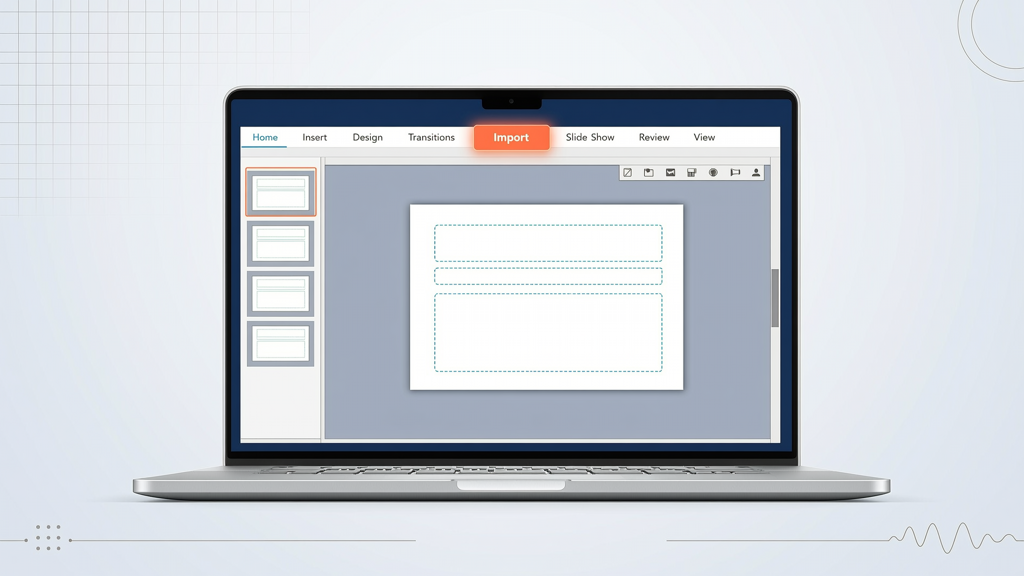
When you spend hours refining typography, spacing, brand-aligned color palettes, and visual hierarchy in your slides, the last thing you want is an AI tool that discards your work to generate something new. That’s where understanding the fundamental difference between AI-generated slide creation and slide-faithful AI narration becomes essential.
Gamma excels at transforming text outlines or sparse notes into polished, visually cohesive slide decks — complete with layouts, icons, animations, and thematic consistency. Its strength lies in starting from zero: no existing file required, no design constraints. But what if you already have a finished, client-approved, or internally vetted slide deck? What if your slides are part of a larger branded ecosystem — with custom master slides, embedded video, complex diagrams, or accessibility-compliant alt-text?
That’s when a Gamma alternative isn’t about replacing Gamma — it’s about choosing the right tool for your specific workflow stage. If your goal is to keep your original slide design, then you need a solution built not to reinterpret, but to honor — narrating each slide exactly as you built it.
Gamma AI vs SlideToTalk: A Fair, Function-Based Comparison
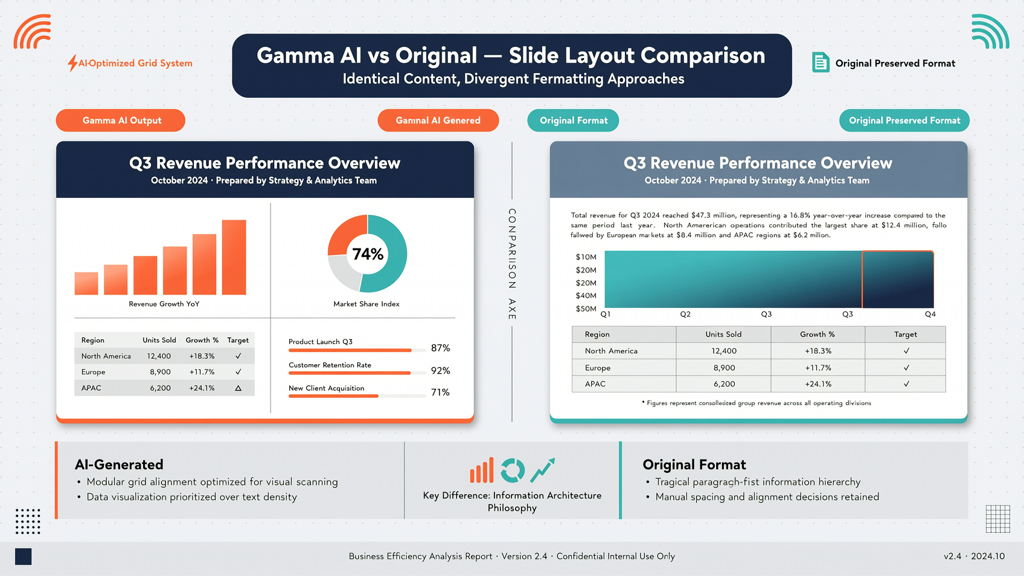
Let’s clarify what each tool does — without bias, and without conflating capabilities:
What Gamma Does Well (and Why It’s Not a "Drop-In Replacement" for Existing Decks)
- Generates slides from scratch using prompts, outlines, or even raw documents — ideal for rapid ideation or early-stage content structuring.
- Applies AI-driven layout logic: auto-selects templates, repositions elements, resizes images, and adjusts text flow based on content density and visual balance.
- Offers theme-based styling (e.g., “minimalist,” “corporate,” “creative”) that overrides manual formatting decisions to ensure aesthetic cohesion.
- Works independently of PowerPoint or Google Slides files — it creates native web-based decks, not editable .pptx exports by default.
In short: Gamma is a design-forward AI presentation builder. Its value emerges when you lack a starting deck — not when you’ve already invested in one.
What SlideToTalk Does Differently (and Why It’s the True Gamma Alternative for Design-Conscious Users)
SlideToTalk takes the opposite approach — intentionally and rigorously. It is a slide-faithful AI narrator, designed exclusively for users who already have a finalized slide deck and want to add voice, timing, and delivery polish — without altering a single pixel.
- Imports your existing file (.pptx or .pdf) and preserves every element: custom fonts, grouped objects, layered SmartArt, embedded audio/video, speaker notes, and slide transitions.
- Never regenerates layouts — no repositioning of charts, no resizing of logos, no substitution of your chosen icons. What you designed is what gets narrated.
- Uses AI to interpret your speaker notes — not to rewrite content, but to generate natural-sounding narration aligned precisely with the slide’s visual framing and your intended emphasis.
- Outputs fully playable, shareable presentations with synchronized voiceover, adjustable playback speed, and export options (MP4, shareable link, downloadable audio).
This distinction is foundational: Gamma replaces your design process; SlideToTalk enhances your existing output. Neither is superior — they serve fundamentally different user intents.
When to Choose a "Keep Original Slide Design Tool" — Practical Decision Criteria

Ask yourself these five questions before selecting your next presentation tool:
- Do you already have a completed, branded slide deck? → If yes, a keep original slide design tool eliminates redundant redesign work and maintains version control.
- Is visual fidelity non-negotiable? (e.g., regulatory submissions, investor pitch decks, internal training with strict UI guidelines) → AI-generated layouts may introduce unintended inconsistencies in spacing, contrast, or icon semantics.
- Are your slides highly visual or diagram-heavy? (e.g., architecture flowcharts, technical schematics, annotated screenshots) → Manual layout decisions often carry domain-specific meaning that AI cannot reliably infer or preserve.
- Do you rely on precise slide-by-slide timing for demos or recorded walkthroughs? → SlideToTalk retains your built-in timings (or lets you set them per slide), while Gamma’s generated decks require re-timing from scratch.
- Is accessibility a priority? — including custom alt-text, reading order, and keyboard navigation paths? Your original deck likely includes these; regenerated layouts rarely inherit or replicate them accurately.
If three or more answers are “yes,” a Gamma alternative focused on slide fidelity isn’t just convenient — it’s professionally responsible.
How SlideToTalk Works: A Seamless, Non-Destructive Workflow
Using SlideToTalk requires no design rework, no template switching, and no learning curve around new authoring paradigms. Here’s how it integrates naturally into your current process:
Step 1: Import Your Exact Deck
Upload your PowerPoint (.pptx) or PDF file directly. SlideToTalk reads slide count, titles, notes, animations, and media — all preserved. No conversion loss. No forced reformatting.
Step 2: Refine Narration — Not Layout
You retain full control over what’s said on each slide:
- Edit speaker notes directly in the interface — SlideToTalk uses them as narration source material.
- Adjust AI-generated script suggestions line-by-line, preserving technical terms, acronyms, or brand voice.
- Add pauses, emphasize keywords, or insert vocal cues (“as shown here…” or “note the upward trend…”) — all synced to visual moments.
Step 3: Preview & Perfect Timing
Playback respects your original slide durations or allows per-slide timing adjustments. You can:
- Set automatic advance after narration ends.
- Lock slides to manual click advancement (ideal for live-virtual hybrid delivery).
- Export timed MP4s with embedded voice, perfect for LMS uploads or stakeholder review.
Step 4: Share Without Compromise
Generate a secure, trackable link — viewers see your exact slides, hear your scripted narration, and experience your intended pacing. No branding dilution. No layout surprises.
Crucially, nothing leaves your control. SlideToTalk doesn’t store or modify your source file. Your .pptx remains untouched on your device or cloud drive. The narration layer is applied externally — cleanly, reversibly, and respectfully.
Real-World Use Cases Where Slide Fidelity Matters Most
Understanding context helps solidify why “keeping your original slide design” isn’t a niche preference — it’s a requirement across many professional domains:
- Compliance & Regulatory Presentations: Financial disclosures, clinical trial summaries, or audit reports demand pixel-perfect replication of approved visuals and labeling. Regenerated layouts risk misaligned callouts or truncated disclaimers.
- Technical Sales Enablement: Product walkthroughs with annotated UI screenshots or infrastructure diagrams depend on exact placement of arrows, labels, and zoom regions — changes break explanatory clarity.
- Academic & Research Defense: Dissertation defenses or grant proposals often include hand-crafted graphs, citation callouts, and methodology flowcharts built in specialized tools (e.g., draw.io, Lucidchart). AI reinterpretation erodes precision.
- Internal Training & Onboarding: HR or IT departments deploy standardized slide decks across global teams. Consistency in layout, language, and navigation reduces cognitive load — regeneration fragments that uniformity.
- Executive Communication: C-suite decks frequently undergo multiple rounds of legal, marketing, and comms review. Each revision locks visual choices — forcing AI redesign reintroduces unvetted variables.
In all these cases, the cost of layout regeneration isn’t just time — it’s re-review cycles, brand drift, compliance exposure, and diminished audience trust in visual accuracy.
Summary: Choosing Based on Intent — Not Hype
There is no universal “best” AI presentation tool — only the best tool for your specific objective.
If your goal is to create a new deck quickly from an outline, Gamma delivers impressive speed, polish, and creative support. Its AI-generated layouts solve real pain points in early-stage content development.
If your goal is to deliver a polished, narrated version of a deck you’ve already designed, reviewed, and approved, then your priority shifts to fidelity — not generation. You need a true Gamma alternative: one that treats your slides as authoritative, not as raw material for reinterpretation.
SlideToTalk fulfills that need precisely. It is purpose-built as a keep original slide design tool, offering AI-powered narration without AI-driven redesign. It respects your expertise, your brand standards, and your time investment — turning finished slides into compelling, accessible, and professionally voiced presentations — exactly as you built them.
Before you begin your next project, ask honestly: Are you starting fresh — or building upon something meaningful? Your answer determines whether Gamma or a Gamma alternative like SlideToTalk belongs in your toolkit.
Try SlideToTalk free
Upload your PPT, PDF, or images. Add narration with text-to-speech or your own voice, and export a narrated video in one click.
Start for free →