Pictory Alternative: Narrate Full Slide Decks Instead of Short Clips
Why You Might Be Searching for a Pictory Alternative
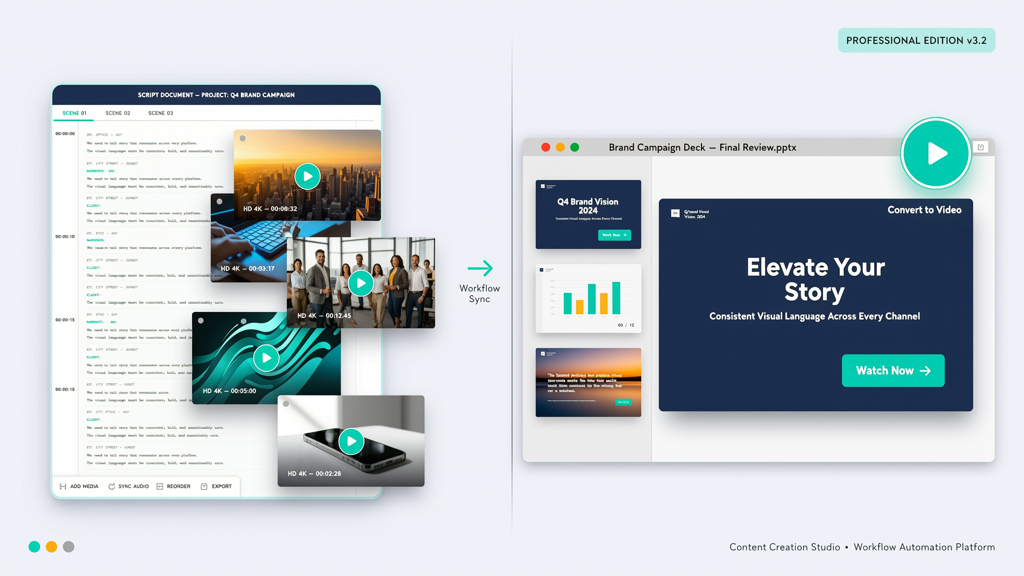
If you’ve used Pictory—or even explored it—you likely appreciate its ability to transform written content into engaging, short-form videos. It excels at turning blog posts, scripts, or article excerpts into social-ready clips, enriched with AI voiceovers and curated stock footage. But what if your core need isn’t repurposing text—it’s bringing your carefully crafted slide decks to life?
Many professionals—from educators and consultants to sales engineers and internal trainers—spend hours designing presentations in PowerPoint or Google Slides. Their slides contain branded layouts, custom diagrams, annotated charts, and intentional visual hierarchy. When an AI tool replaces those original visuals with generic stock clips, the message loses fidelity, credibility, and brand alignment.
This is where a Pictory alternative focused on slide-faithful narration becomes essential—not as a replacement for Pictory, but as a purpose-built solution for a distinct use case.
Core Difference: Purpose, Input, and Output
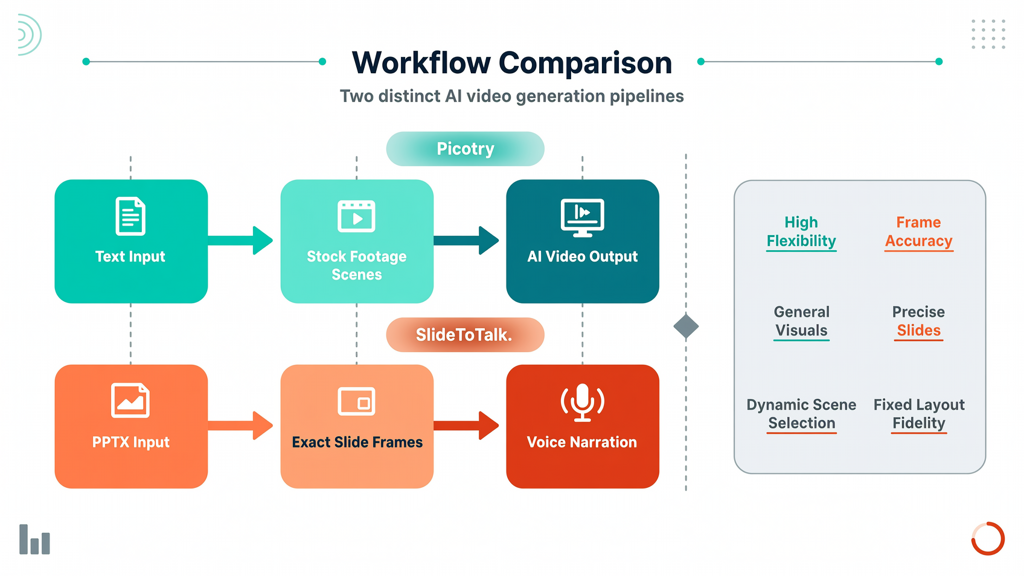
The fundamental distinction between Pictory and tools like SlideToTalk lies not in technical sophistication, but in design intent and workflow alignment:
- Pictory is optimized for text-to-short-video. Its input is typically a script, article, or outline. Its output is a 30–90 second clip—ideal for social media snippets, explainer reels, or marketing teasers. To visually support the narration, Pictory intelligently overlays royalty-free stock footage, motion graphics, and B-roll.
- SlideToTalk is built for slide-deck-to-complete-video. Its input is a native PowerPoint (.pptx) or Google Slides file. Its output is a narrated, timed, full-length video that preserves every font, animation, shape, chart, and layout—exactly as designed. No stock footage is inserted. No slides are reinterpreted or replaced.
This isn’t a matter of “which is better”—it’s about matching the tool to your objective:
- Need a 60-second TikTok summary of your latest whitepaper? Pictory fits.
- Need to convert a 45-slide investor pitch into a polished, voice-narrated video—ready for email, LMS, or stakeholder review—without altering a single bullet point or logo placement? A Pictory alternative like SlideToTalk delivers.
Pictory vs SlideToTalk: A Fair, Use-Case-Driven Comparison
Let’s compare Pictory and SlideToTalk across five practical dimensions—without bias, and with clarity on where each shines:
1. Input Format & Design Preservation
- Pictory: Accepts plain text, URLs, or documents (e.g., Word, PDF). It parses semantic structure to generate scenes—but has no awareness of slide-based design logic. Original branding, layout, or visual data (like flowcharts or annotated screenshots) is lost.
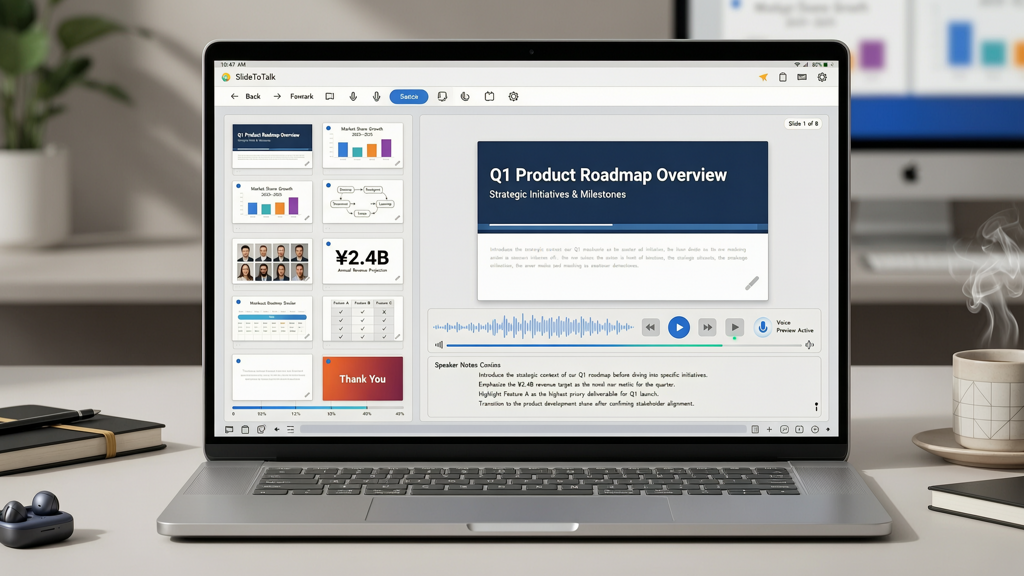
- SlideToTalk: Imports native PowerPoint (.pptx) files directly. All formatting—including master slides, custom fonts, embedded Excel charts, SVG icons, layered animations, and grouped objects—is retained. What you see in editing mode is precisely what appears in the final video.
2. Visual Integrity: Stock Footage vs Original Slides
This is the most consequential difference for professionals who invest in visual storytelling:
- Pictory uses stock footage by design. It selects relevant clips based on keywords and scene context. While useful for broad appeal, this approach inherently substitutes your original visuals—making it unsuitable when slides contain proprietary data, client-specific mockups, compliance-sensitive diagrams, or nuanced visual explanations.
- SlideToTalk delivers powerpoint to video without stock clips. Every frame is your slide—unchanged. Narration is synchronized to slide transitions and build animations. This supports accessibility (screen reader compatibility), regulatory requirements (e.g., audit trails for training), and brand governance.
3. Output Scope & Structure
- Pictory outputs short, segmented clips. Even when processing long-form content, it defaults to digestible segments—often capped at 2 minutes per video. Long presentations must be manually split, re-uploaded, and stitched—a fragile, time-consuming process.
- SlideToTalk renders full-deck videos end-to-end. A 60-slide annual strategy deck becomes one cohesive 12-minute video—or exports as individual slide videos, if preferred. Transitions, timings, speaker notes, and even presenter-mode cues (e.g., “pause here for Q&A”) are honored.
4. Voice & Timing Control
- Pictory offers voice selection and basic pacing controls—but timing is largely auto-generated per paragraph. Fine-tuning sync with visual elements (e.g., “highlight this graph at second 8.3”) isn’t supported.
- SlideToTalk allows per-slide voice assignment, adjustable read-aloud speed, and precise pause points before/after builds. You can trigger narration only after a specific animation completes—enabling true pedagogical or demo-driven pacing.
5. Workflow Integration & Export Flexibility
- Pictory integrates well with content CMS platforms and offers social-optimized exports (e.g., square/vertical MP4s, subtitles). Its strength is rapid repurposing—not archival fidelity.
- SlideToTalk supports direct export to MP4, MOV, and downloadable audio (M4A), plus embeddable links with customizable player controls. It also enables SCORM-compliant packaging for LMS deployment—critical for enterprise learning teams seeking powerpoint to video without stock clips and full tracking.
When to Choose a Pictory Alternative Like SlideToTalk

Consider SlideToTalk—not as a competitor to Pictory, but as your dedicated Pictory alternative—if any of these apply:
- You regularly convert client-facing proposals, RFP responses, or technical architecture decks into narrated videos—and need every chart, footnote, and legal disclaimer preserved exactly.
- Your organization enforces strict brand guidelines: custom color palettes, approved icon sets, or mandatory footer layouts that stock footage would override.
- You create compliance or onboarding materials where visual accuracy is non-negotiable (e.g., safety procedures illustrated step-by-step on slides).
- You rely on PowerPoint’s native animation features (morph transitions, object-level builds) to reveal concepts progressively—and want narration synced to those reveals.
- You distribute videos via learning management systems (LMS) and require completion tracking, quiz integration, or SCORM/xAPI support.
Conversely, if your goal is to extract highlights from long reports for LinkedIn carousels, or produce quick product update reels for internal Slack channels, Pictory remains highly effective.
Practical Tips for Getting Started with SlideToTalk
Making the switch to a slide-faithful AI narrator is straightforward—but these tips ensure optimal results:
- Use speaker notes strategically. SlideToTalk reads directly from your PowerPoint speaker notes field. Write concise, natural-sounding narration—not bullet-point summaries. Add pauses (e.g., “... [pause 1.5s] ...”) where needed for emphasis or visual absorption.
- Leverage slide titles as chapter markers. Clear, descriptive titles help SlideToTalk generate accurate navigation menus and improve SEO for hosted videos (e.g., “3. Market Opportunity Analysis” becomes a searchable timestamp).
- Test animations early. If your slide uses entrance animations (e.g., “Appear,” “Fade In”), ensure they’re set to trigger “On Click” or “After Previous” — not “With Previous”—to avoid timing conflicts with narration.
- Embed high-res assets natively. Avoid linking external images or charts. Insert them directly into PowerPoint to guarantee pixel-perfect rendering in the exported video.
- Preview in presenter view first. Run through your deck using PowerPoint’s Presenter View to validate timing, transitions, and note flow—before importing to SlideToTalk.
And remember: SlideToTalk doesn’t require reformatting your existing decks. Your current .pptx files work instantly—no templates, no redesigns, no migration overhead.
Summary: Matching Tool to Intent
Choosing between Pictory and a Pictory alternative isn’t about feature lists—it’s about honoring your creative intent and operational reality.
Pictory is purpose-built for text → short video. It thrives when your priority is reach, virality, or rapid content repurposing—and when generic visuals enhance rather than undermine your message.
SlideToTalk is purpose-built for slide deck → complete video. It excels when your slides are the message: when design integrity, data fidelity, brand control, and pedagogical precision matter more than stock polish.
If you need to narrate full slide decks instead of short clips—if your work demands powerpoint to video without stock clips—then SlideToTalk isn’t just a viable Pictory alternative. It’s the focused, respectful, and scalable way to let your slides speak—exactly as you designed them.
Explore how SlideToTalk transforms your existing presentations at https://slidetotalk.com.
Try SlideToTalk free
Upload your PPT, PDF, or images. Add narration with text-to-speech or your own voice, and export a narrated video in one click.
Start for free →