HeyGen vs Synthesia vs SlideToTalk: Which Fits Your Use Case
Creating compelling, professional video content no longer requires a studio, a scriptwriter, or a teleprompter. Today’s AI-powered tools let teams turn ideas into polished videos in minutes—but not all tools serve the same purpose. At first glance, HeyGen vs Synthesia vs SlideToTalk may appear interchangeable. In reality, they reflect two fundamentally different approaches to video communication: avatar-led storytelling versus slide-faithful narration. Understanding this distinction is essential—not for judging which tool is 'best,' but for identifying which one aligns with your goals, workflow, and creative priorities.
Core Philosophy: Avatar Video Tools vs Slide-Faithful Narration
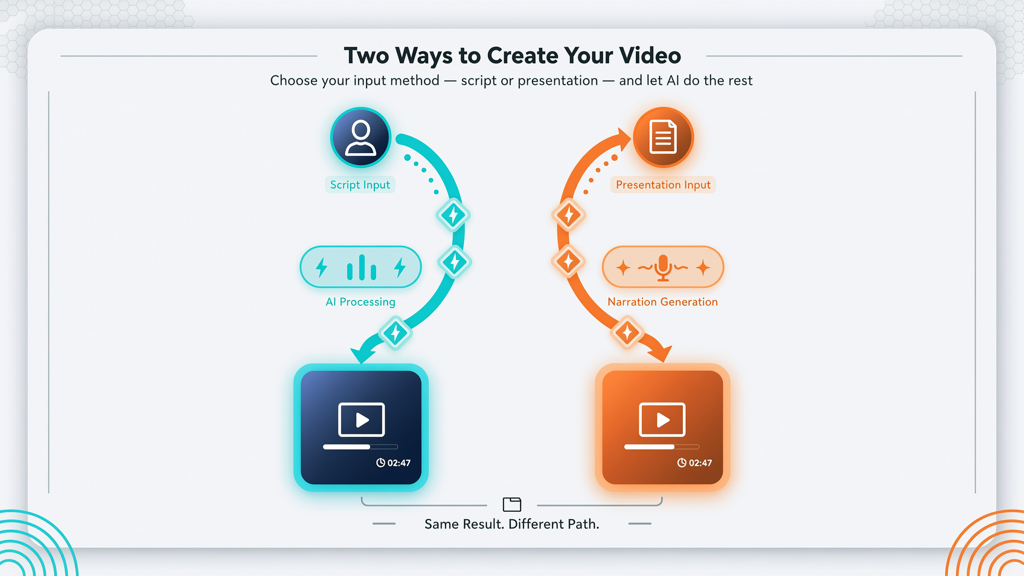
The most important decision you’ll make isn’t which tool to use—it’s what kind of video you need to create. This hinges on whether your priority is:
- Human-like presence: You want an AI avatar to deliver your message—expressive, consistent, and visually engaging—with full control over tone, pacing, and visual framing; or
- Slide integrity: You already have a well-designed presentation (e.g., in PowerPoint or Google Slides) and want narration that respects your existing layout, animations, transitions, and branding—without rebuilding anything.
This divide defines the functional categories:
- Avatar video tools (HeyGen and Synthesia) generate new video scenes featuring AI avatars speaking over custom backgrounds, dynamic visuals, and AI-generated graphics. They treat your script as the primary input—and your slides, if imported, are often converted or reinterpreted rather than preserved.
- Slide-faithful narration tools (like SlideToTalk) treat your original slide deck as the immutable foundation. The tool overlays natural-sounding narration—via text-to-speech or your own voice recording—while preserving every design element, animation sequence, and timing decision you’ve made.
Misalignment here leads to wasted time: using an avatar tool when you need fidelity to your slide deck means rebuilding layouts, adjusting timings, and losing brand consistency. Conversely, using a slide-faithful tool when you need expressive human presence means missing out on emotional resonance and visual variety.
HeyGen and Synthesia: Strengths and Shared Traits
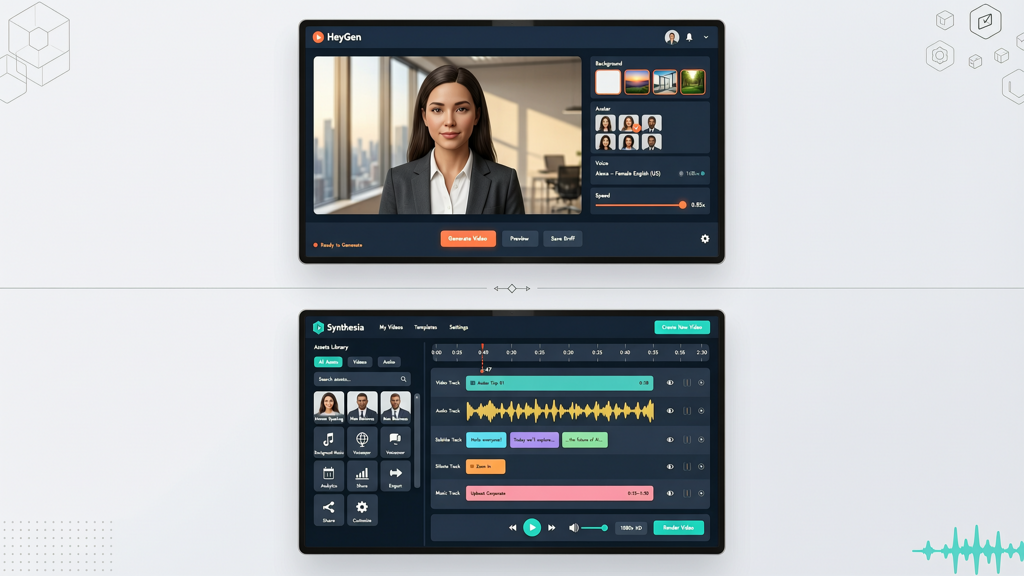
HeyGen and Synthesia occupy the same category: enterprise-grade avatar video platforms. Both offer photorealistic or stylized AI avatars, multilingual support, lip-sync accuracy, and integration with common productivity tools. Their workflows prioritize script-first creation—enter your text, select an avatar and voice, customize background or visuals, and render.
Key shared strengths include:
- High production value: Studio-quality output with customizable lighting, camera angles, and gestures (in premium tiers).
- Scalable personalization: Generate dozens of localized variants from a single script—ideal for global training, marketing campaigns, or sales enablement.
- Brand-safe environments: On-platform editing, secure sharing controls, and compliance-ready infrastructure for regulated industries.
- Visual flexibility: Overlay charts, icons, B-roll, and motion graphics directly in the editor—no external design tools required.
Where they differ lies in nuance—not category. HeyGen emphasizes rapid iteration, avatar customization, and intuitive UI for non-designers. Synthesia leans into enterprise governance, advanced API access, and deep integration with LMS and CRM platforms. But functionally, both solve the same core problem: delivering spoken messages through AI avatars with high visual polish.
Neither is designed to preserve your existing slide structure. If you import a PowerPoint file, both platforms convert it into a series of static frames or simplified visual placeholders. Animations, master slide formatting, embedded videos, and layered objects are either flattened, omitted, or require manual recreation. That’s not a flaw—it’s by design. Their strength is reimagining content for video, not reproducing it.
SlideToTalk: A Different Paradigm Entirely
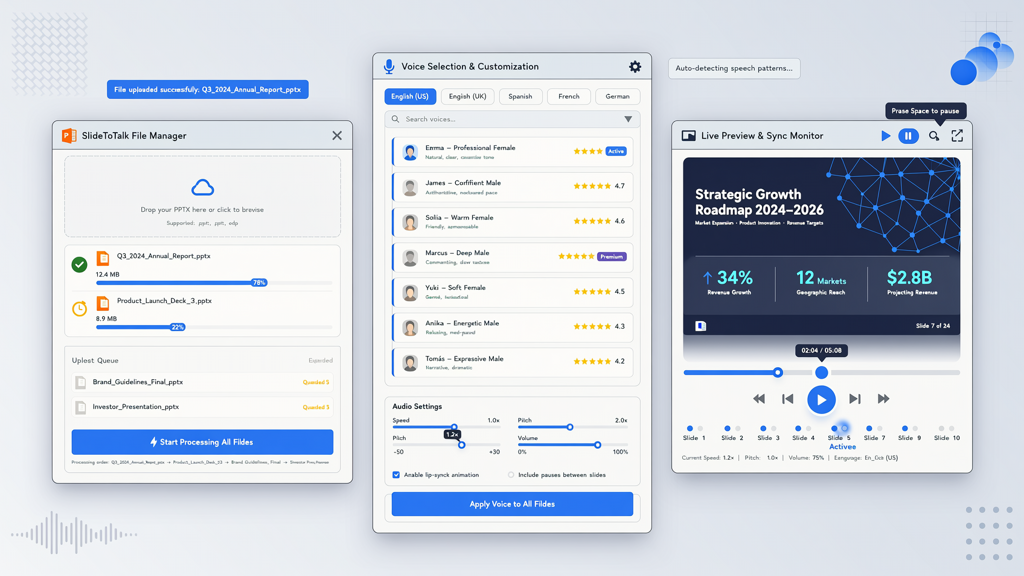
SlideToTalk belongs to a distinct class: slide-faithful narration tools. Instead of generating new video scenes, it enhances what you already have. You upload your native presentation file (PPTX or PDF), add narration—either via high-quality AI text-to-speech or by recording your own voice—and export a fully synchronized video that plays exactly as your audience would see it in slideshow mode.
This approach delivers unique advantages:
- Zero redesign required: Every font, color, animation, transition, and embedded media remains intact—including complex builds and SmartArt.
- Precision timing: Narration syncs frame-by-frame to slide advances—even mid-slide animations—so voice matches visual reveals exactly.
- One-time pricing: No subscriptions. Purchase once, use indefinitely. Ideal for teams needing reliable, predictable costs without recurring fees.
- Lightweight & fast: Upload → narrate → export. No learning curve for timeline-based editors or avatar studios.
SlideToTalk does not generate avatars, insert stock footage, or modify your slide content. It does not offer AI-generated visuals or scene transitions. Its purpose is singular: to give your existing slides a clear, professional voice—without compromise. That makes it exceptionally strong for internal comms, academic lectures, investor updates, compliance training, and any context where your slide design is strategic, regulated, or deeply intentional.
Because it preserves your work, SlideToTalk also supports version control naturally: update a slide, re-export, and your narration stays synced. No need to re-record or re-time across dozens of assets.
How to Choose: Practical Decision Framework
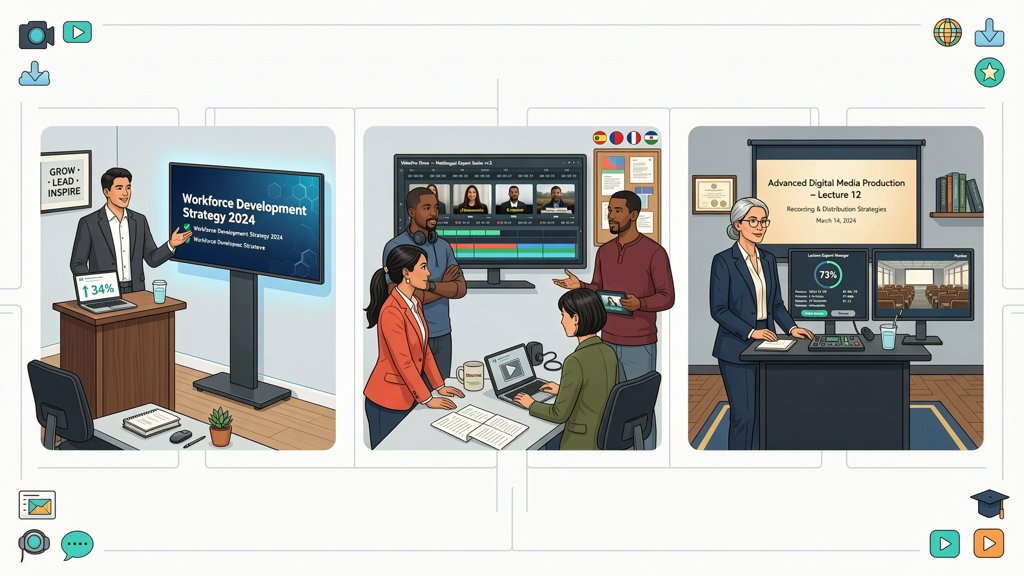
Still unsure? Ask yourself these five questions—each points clearly toward one approach or the other:
1. What’s your source material?
- You’re starting from a script or outline → HeyGen or Synthesia
- You’re starting from a finished, branded slide deck → SlideToTalk
2. How critical is visual fidelity to your slides?
- Animations, transitions, and layered graphics must play exactly as designed → SlideToTalk
- You’re open to simplifying or restyling slides for video impact → HeyGen or Synthesia
3. Who is your primary narrator?
- You want a consistent, scalable, on-brand human presence (even if synthetic) → HeyGen or Synthesia
- You prefer your own voice—or want to record subject-matter experts easily → SlideToTalk (supports direct voice recording)
4. What’s your budget model preference?
- You need flexible, per-seat or usage-based scaling → HeyGen or Synthesia (subscription-based)
- You prefer transparent, one-time investment with no renewal pressure → SlideToTalk
5. Where will this video be used?
- Public-facing marketing, social ads, or customer onboarding → HeyGen or Synthesia (higher visual engagement)
- Internal training, board reporting, academic instruction, or technical documentation → SlideToTalk (clarity, accuracy, and trust in existing materials)
Notice how none of these questions ask “Which is more advanced?” or “Which has better AI?” That’s intentional. These tools excel in different domains—and comparing them head-to-head on feature checklists misses the point. It’s like asking whether a DSLR camera is ‘better’ than a document scanner: both capture images, but their purposes, inputs, and outputs are meaningfully different.
Real-World Use Cases Compared
Let’s ground this in practical scenarios:
Scenario 1: Quarterly Business Review for Leadership
You have a tightly governed, visually rich deck approved by Legal and Finance. Charts update monthly; animations highlight key trends.
- HeyGen/Synthesia path: Import slides → lose animations and data labels → manually rebuild charts → assign avatar → adjust timing per frame → verify compliance → repeat next quarter.
- SlideToTalk path: Upload updated PPTX → auto-sync narration to new charts → export. Done in under 5 minutes.
Scenario 2: Global Product Launch Campaign
You need 12 versions of a 90-second explainer—one per language—featuring a friendly, trustworthy spokesperson.
- HeyGen/Synthesia path: Write one script → select avatar → generate all 12 localized videos with native lip-sync and voice talent → publish across regions.
- SlideToTalk path: Possible—but requires 12 separate decks (or heavy manual translation), and lacks expressive presence. Less efficient for broad reach and emotional connection.
Scenario 3: Onboarding New Hires
Your HR team maintains a 60-slide, highly interactive compliance module with quizzes, branching logic, and embedded policy PDFs.
- HeyGen/Synthesia path: Would require converting interactivity into linear narration, flattening navigation, and losing quiz functionality.
- SlideToTalk path: Preserves hyperlinks, triggers, and embedded files. Adds voice guidance while keeping the learner experience intact.
These examples reinforce a simple truth: the right tool depends less on technical capability and more on respect for your existing process and intent.
Final Summary: Align Tool to Intent
When evaluating HeyGen vs Synthesia vs SlideToTalk, remember that this is not a three-way race—it’s a choice between two complementary strategies:
- Avatar video tools vs slide-faithful narration is the foundational distinction. HeyGen and Synthesia represent the former; SlideToTalk embodies the latter.
- Choosing between avatar and slide narration tools comes down to whether your goal is presentation-as-performance (avatar-led, expressive, scalable) or presentation-as-delivery (slide-accurate, efficient, faithful).
- If your priority is speed, cost predictability, and zero compromise on your existing deck—SlideToTalk is purpose-built for you.
- If your priority is building a recognizable, human-facing video brand across channels—HeyGen or Synthesia provide the expressive toolkit you need.
There is no universal winner. There is only the solution that fits your use case—today, and reliably over time. Invest time upfront to clarify your objective: Are you enhancing a slide? Or replacing it with something new? Answer that honestly, and your choice becomes clear.
Try SlideToTalk free
Upload your PPT, PDF, or images. Add narration with text-to-speech or your own voice, and export a narrated video in one click.
Start for free →