Synthesia Alternative: Keep Your Slides Exactly as Designed
Why Slide Fidelity Matters More Than Ever
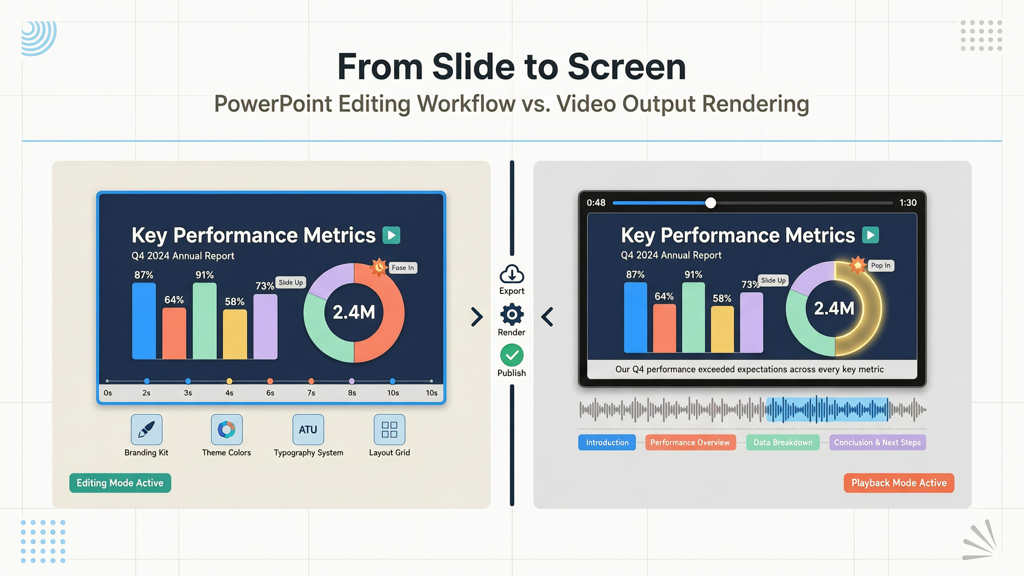
When you spend hours refining your presentation—choosing fonts, aligning elements, choreographing animations, and embedding branded visuals—you’re not just building slides. You’re crafting a precise visual narrative. Yet many AI-powered presentation-to-video tools treat slides as raw material to be deconstructed: extracting text, repositioning content, and overlaying it onto AI-generated talking-head scenes. The result? A polished but unrecognizable version of your original work.
This isn’t a flaw—it’s a design choice rooted in a different philosophy. Tools like Synthesia prioritize expressive, human-like narration through digital avatars, which inherently requires transforming static slides into dynamic, scene-based storytelling. But for professionals in education, compliance training, technical documentation, marketing collateral, and internal comms, fidelity to the original slide design is non-negotiable. That’s where a slide-faithful video tool becomes essential—not as a compromise, but as a deliberate alternative aligned with specific communication goals.
Synthesia vs. SlideToTalk: A Fair, Fact-Based Comparison
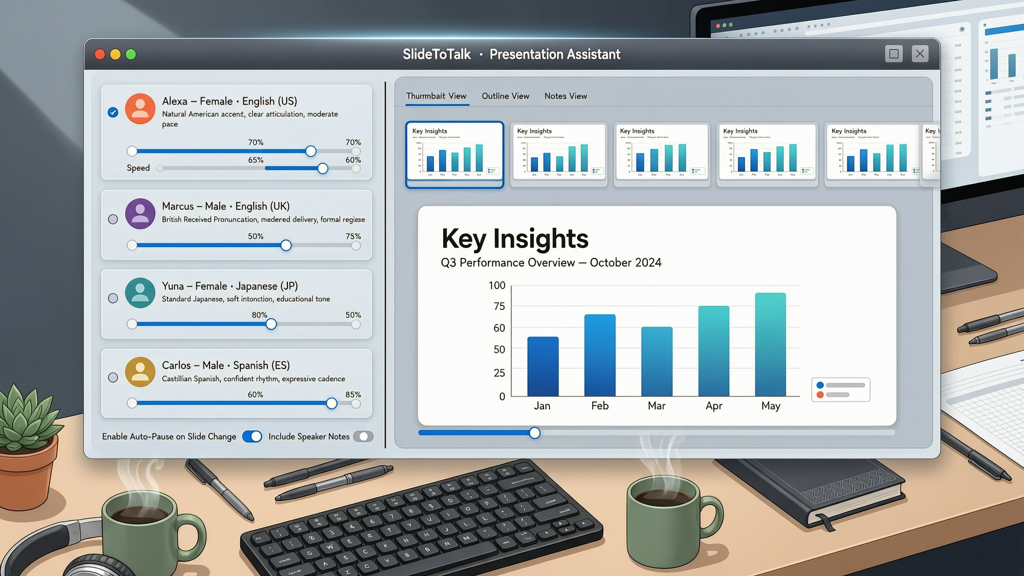
Let’s compare two approaches head-to-head—not to declare one ‘better,’ but to clarify how each serves distinct needs. Both tools convert presentations into video—but they start from opposite assumptions about what the final output should preserve.
Core Philosophy & Output Behavior
- Synthesia (and similar avatar-first tools): Treats slides as source material for script generation. It parses text, identifies key points, and rebuilds scenes using AI avatars, background scenes, and dynamic layouts. Animations, transitions, embedded charts, layered objects, and custom positioning are not retained—they’re replaced by AI-driven visual pacing.
- SlideToTalk: Treats your slide deck as the final canvas. Every shape, image, chart, animation sequence, and transition remains exactly as designed. Narration—whether via Text-to-Speech (TTS) or your own voice recording—is synchronized to your existing slide timing. No re-layout. No avatar insertion. No reinterpretation.
Visual Integrity: What Stays—and What Changes
Consider a typical use case: a quarterly sales report with animated bar charts, annotated callouts, and a multi-step process diagram.
- In Synthesia-style workflows, that chart may become a static image overlaid on an avatar’s shoulder—or worse, converted into bullet points read aloud while the avatar gestures at an unrelated stock background.
- In SlideToTalk, the chart animates frame-by-frame as intended; callouts appear on cue; the process diagram unfolds stepwise—exactly as rehearsed and reviewed. Your brand colors, typography hierarchy, and spatial logic stay intact.
This distinction matters most when accuracy, regulatory alignment, or visual consistency drives your communication—think investor briefings, FDA submission support decks, engineering schematics, or accessibility-compliant training modules.
Pricing & Access Model: Subscription vs. Ownership
The difference extends beyond output—it reflects divergent values around control and long-term cost.
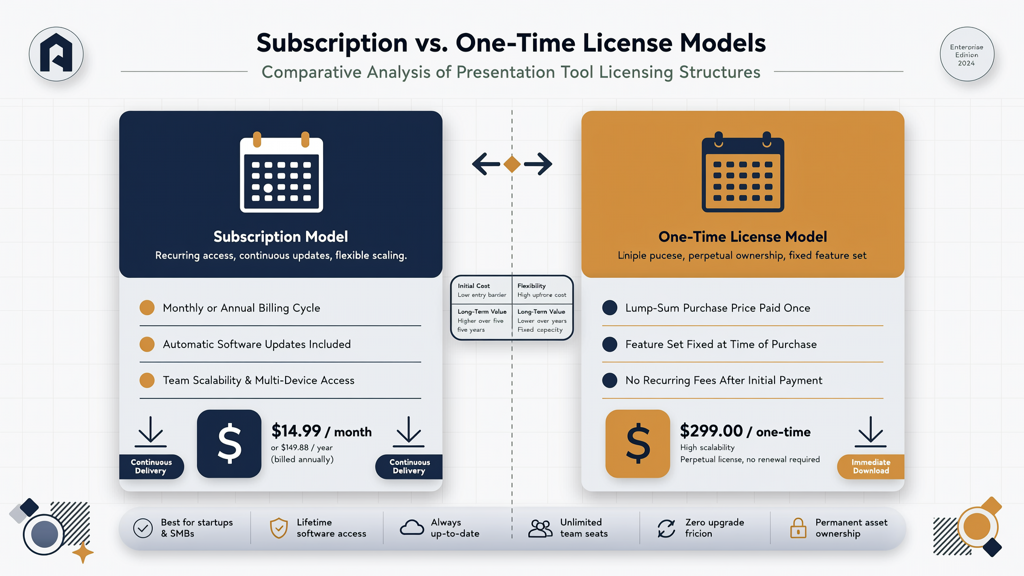
- Synthesia operates on a subscription model. Users access avatars, voices, and editing features through monthly or annual plans. Additional languages, premium avatars, and advanced editing capabilities often require tiered upgrades. The service remains cloud-dependent, with no local export of editable project files.
- SlideToTalk offers a one-time purchase model for character packs (including TTS voices and language support). Once acquired, those voices remain licensed for unlimited use—no recurring fees. There’s no subscription barrier to basic functionality: free recording, built-in TTS, and full PowerPoint integration are included out of the box. Exported videos are standard MP4 files, fully portable and platform-agnostic.
This model benefits teams managing multiple presenters, decentralized content creators, or organizations with strict budget cycles—where predictable, perpetual licensing outweighs the flexibility of on-demand avatar scaling.
What Makes a True Synthesia Alternative?
A genuine Synthesia alternative isn’t defined by feature parity—it’s defined by solving the same core problem (turning presentations into shareable video) while honoring a different priority: design sovereignty. To qualify, a tool must deliver:
- Pixel-perfect slide preservation: No auto-resizing, no forced repositioning, no loss of grouped objects or layered transparency.
- Animation continuity: Entrance, emphasis, exit effects—and their timing—must trigger precisely as set in PowerPoint.
- No-avatar default workflow: Narration is layered *over* the slide—not inserted *into* it via synthetic characters.
- Direct PowerPoint integration: No need to copy-paste text or re-upload assets; the tool reads .pptx natively, preserving hyperlinks, speaker notes, and master slide inheritance.
- Accessible, multilingual narration without requiring external voice services—offering built-in TTS across major languages, plus option to record live audio.
SlideToTalk meets all five criteria. Its architecture is built around PowerPoint’s native object model—not against it. That means your slide deck isn’t imported; it’s interpreted, respected, and elevated—with voice, timing, and polish added *without substitution*.
Practical Tips for Choosing Your Synthesia Alternative Powerpoint to Video Workflow
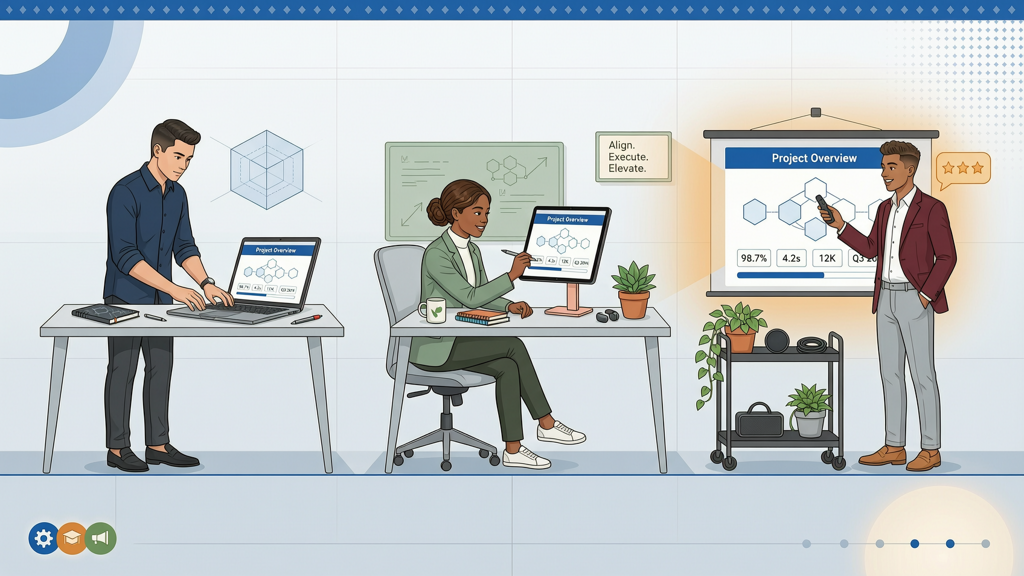
If you’ve concluded that a Synthesia alternative powerpoint to video solution fits your needs, here’s how to implement it effectively:
1. Audit Your Slide Deck First
- Check for embedded fonts: Convert to outlines or use system-safe fonts if sharing across devices.
- Verify animation triggers: Use ‘On Click’ or ‘After Previous’ consistently—avoid ‘With Previous’ for complex sequences unless timing is manually locked.
- Test transitions: Some subtle transitions (e.g., Morph) behave differently outside PowerPoint—confirm compatibility or simplify where needed.
2. Leverage Built-In Narration Options Strategically
SlideToTalk supports both TTS and recorded voice—each with distinct advantages:
- TTS is ideal for rapid drafts, multilingual versions, or accessibility-first outputs. It includes six high-quality, natural-sounding voices—English (US/UK), Spanish, French, German, Italian, and Portuguese—with accurate pronunciation of domain-specific terms (e.g., “SQL,” “IoT,” “ROI”).
- Recorded narration preserves tone, pacing, and inflection—critical for leadership messages or emotionally resonant storytelling. SlideToTalk lets you record directly inside the app, sync to slide timings, and re-record individual slides without restarting.
3. Optimize for Distribution & Compliance
- Export videos in MP4 (H.264) at up to 1080p resolution—compatible with LMS platforms (like Moodle or Cornerstone), intranets, SharePoint, and email attachments.
- Retain original PowerPoint files alongside exported videos. Since SlideToTalk doesn’t alter your source deck, version control stays simple: update the PPTX, re-export, and replace—no recreation needed.
- For regulated industries, note that SlideToTalk processes narration locally (on Windows/macOS) and does not transmit slide content to external servers during TTS or recording—supporting data-resident workflows.
4. Scale Without Subscriptions
Because SlideToTalk uses a one-time character pack model, scaling is predictable:
- Add Spanish narration for global sales teams? Purchase the Spanish TTS pack once—use it across unlimited presentations, users, and years.
- Need voice consistency across departments? Assign the same TTS voice profile enterprise-wide—no per-seat licensing or concurrent user limits.
- Train new team members? Share a single installation file and pre-configured voice settings—no admin portal, SSO setup, or usage tracking required.
Final Thoughts: Matching Tool to Intent
There is no universal 'best' presentation-to-video tool—only the best fit for your communication intent. If your goal is empathetic, personality-driven storytelling with broad linguistic reach and cinematic production value, avatar-led platforms like Synthesia offer compelling strengths—including support for over 140 languages and photorealistic presenter customization.
But if your priority is precision—if your message lives in the arrangement of data, the rhythm of animation, the weight of typography, and the integrity of your brand’s visual language—then a slide-faithful video tool isn’t merely an alternative. It’s the necessary counterpart.
SlideToTalk delivers exactly that: a Synthesia alternative purpose-built for professionals who design slides not as placeholders—but as finished artifacts. It transforms PowerPoint into video without translation loss, without stylistic override, and without recurring cost. You keep your slides exactly as designed. And your audience receives your message—unfiltered, undiluted, unmistakably yours.
Explore how SlideToTalk supports your existing workflow at slidetotalk.com.
Try SlideToTalk free
Upload your PPT, PDF, or images. Add narration with text-to-speech or your own voice, and export a narrated video in one click.
Start for free →