Vidocu Alternative for Turning Slide Decks into Narrated Videos
Why Seek a Vidocu Alternative?
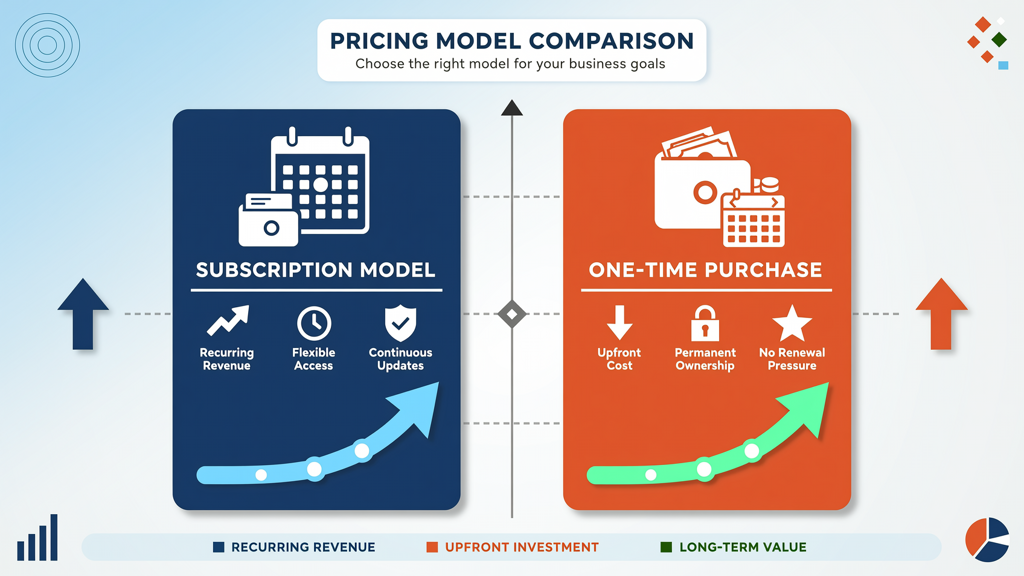
Many professionals rely on AI-powered tools to convert static slide decks into polished, narrated videos—especially for training, sales enablement, internal comms, or remote learning. Vidocu has established itself as one of the early entrants in this space, offering voiceover generation directly from PowerPoint and Google Slides files. However, users increasingly seek alternatives that align more closely with their workflow preferences, budget constraints, and long-term usability goals.
A thoughtful vidocu alternative isn’t about replacing one tool with another blindly—it’s about identifying a solution that delivers comparable fidelity in output while offering greater flexibility in pricing, language support, and creative control. In this article, we provide a fair, fact-based presentation to video tool comparison, focusing specifically on how SlideToTalk measures up against Vidocu across four critical dimensions: pricing model, free recording capability, multilingual text-to-speech (TTS), and slide-faithful static rendering.
Pricing Model: One-Time Character Packs vs Subscription
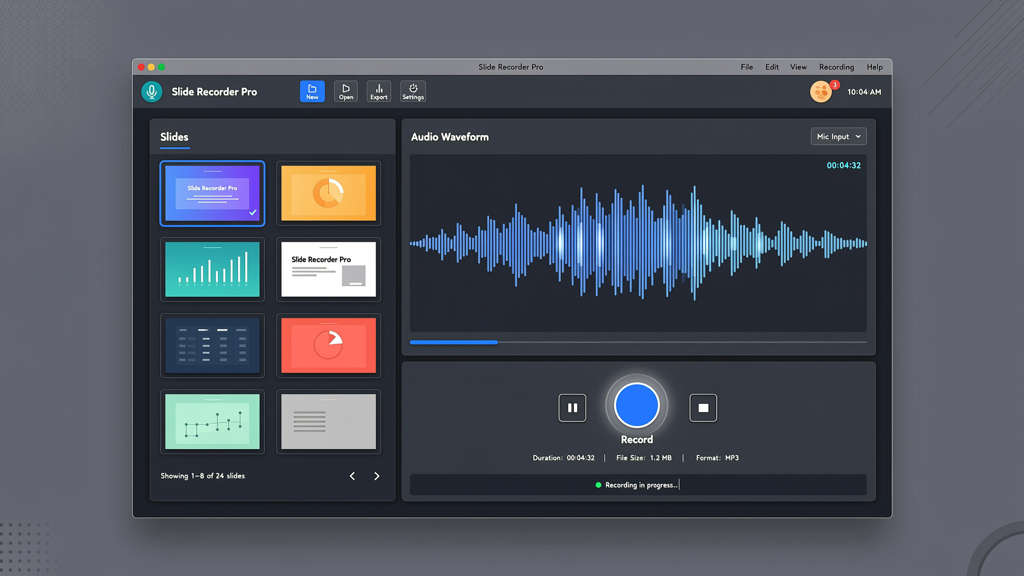
One of the most consequential differences between Vidocu and its alternatives lies in how they monetize voice generation—and this directly impacts both upfront cost and long-term value.
- Vidocu operates on a subscription-based model. Users purchase access to voice characters (e.g., 'Emma', 'James') via recurring plans—typically monthly or annual. Each plan grants usage quotas (e.g., minutes per month or character-specific limits). Once those limits are reached, additional usage requires upgrading or purchasing add-ons.
- SlideToTalk offers a fundamentally different approach: one-time character packs. When you buy a voice (e.g., 'Sophie – US English'), you own perpetual, unlimited use of that voice for generating narrated videos—no recurring fees, no usage caps, no expiration. You can generate hundreds of videos over years without paying again for that same voice.
This distinction matters especially for teams producing frequent content or individuals who need predictable, scalable costs. With Vidocu, scaling usage often means scaling spend. With SlideToTalk, scale is built into the purchase—making it a more cost-efficient choice for consistent, high-volume creators.
Practical tip: If your team creates more than five narrated presentations per month—or anticipates doing so regularly—calculate the 12-month total for Vidocu’s mid-tier plan versus SlideToTalk’s equivalent voice pack. In nearly all cases, SlideToTalk’s one-time investment pays for itself within 3–6 months.
Free Recording Mode: No-Strings Flexibility
Not every presentation needs AI narration. Sometimes you want to record your own voice—live, unscripted, and authentic—while keeping the original slide layout intact. Both platforms offer manual recording, but their implementation differs meaningfully.
- Vidocu includes a free recording mode, allowing users to speak over slides and export the result as a video. However, this mode is limited to basic functionality: no background noise suppression, no audio level normalization, and no option to re-record individual slides without restarting the full session. It functions well for quick drafts but lacks polish for production-ready delivery.
- SlideToTalk also provides a robust free recording mode—and unlike many competitors, it’s fully available without requiring a paid plan or trial expiration. You can import any slide deck (PPTX, PDF, or Google Slides), click “Record”, and narrate slide-by-slide at your own pace. Key advantages include:
- Per-slide re-recording (no full redo required)
- Automatic silence trimming and volume leveling
- Export in MP4 with embedded subtitles (optional)
- No watermark—even in free mode
This makes SlideToTalk particularly valuable for educators, subject-matter experts, or presenters who prefer human nuance over synthetic speech but still require professional-grade output. The absence of artificial barriers—like time-limited trials or watermarked exports—supports genuine adoption, not just evaluation.
Practical tip: Use SlideToTalk’s free recording mode to create rehearsal videos before live sessions. Export and review pacing, emphasis, and timing—then refine your delivery before presenting live. This builds confidence and improves audience engagement.
Six-Language Text-to-Speech: Clarity Across Borders
Global teams and multilingual audiences demand narration that sounds natural—not translated, but localized. Both Vidocu and SlideToTalk support multiple languages, but their coverage and quality execution differ in subtle but impactful ways.
Vidocu advertises support for six languages: English, Spanish, French, German, Italian, and Portuguese. Its voices are trained on native speaker data and deliver intelligible, rhythmically appropriate output. However, language selection is tied to subscription tiers—some voices may be unavailable in entry-level plans.
SlideToTalk also supports 6-language TTS, covering the same core set: English, Spanish, French, German, Italian, and Portuguese—with native-accented voices in each. Crucially, all six languages are available across all voice packs—no tier gating. Whether you choose a US English voice or a Castilian Spanish voice, you get the same level of prosodic accuracy, pause handling, and punctuation-aware intonation.
More importantly, SlideToTalk’s TTS engine is optimized for presentation context. It interprets bullet points, headings, and numbered lists with appropriate cadence—pausing after each item, stressing key terms, and adjusting speed for technical vocabulary. This results in narration that feels intentional rather than robotic.
- Language parity: All six languages are equally supported—not just in availability, but in voice quality and feature access.
- Slide-aware pacing: TTS adjusts naturally to slide structure (e.g., longer pauses after section headers, shorter ones between list items).
- No regional restrictions: A Portuguese voice works for both European and Brazilian variants—users select accent preference during setup.
Practical tip: When localizing content for international stakeholders, use SlideToTalk’s language toggle to generate parallel versions of the same deck—each narrated natively. Then embed subtitles in the target language for accessibility and reinforcement. This dual-layer approach strengthens comprehension and retention.
Slide-Faithful Static Rendering: Pixel-Perfect Consistency
When converting slides to video, fidelity matters. Fonts, colors, animations, and layout must render exactly as designed—especially for branded decks or compliance-sensitive materials. Neither platform supports complex slide animations (e.g., morph transitions or custom motion paths), but both prioritize static rendering accuracy.
Vidocu uses a browser-based rendering engine that captures slides as visual frames. It preserves vector elements, embedded fonts (where licensed), and background graphics reliably. However, some advanced formatting—such as layered SmartArt objects or intricate gradient masks—may simplify slightly during conversion. Users report minor shifts in alignment or transparency blending in edge cases, particularly with heavily customized templates.
SlideToTalk employs a hybrid rendering pipeline: it parses slide structure natively (via Microsoft Office SDK and PDF standards) and renders pixel-perfect frames using system-native font substitution when necessary. The result is slide-faithful static rendering—meaning what you see in PowerPoint or Google Slides is precisely what appears in the final MP4. No font fallback surprises. No unintended cropping. No color profile mismatches.
This consistency extends to accessibility features: SlideToTalk retains alt-text, reading order, and logical slide hierarchy—enabling seamless integration with screen readers in exported video descriptions or companion documents.
- Preserves embedded fonts (with optional web-safe fallbacks)
- Maintains exact spacing, margins, and object layering
- Exports at user-selectable resolution (720p, 1080p, or 4K)
- Supports dark-mode slide backgrounds without luminance distortion
Practical tip: Before batch-generating videos, run a single-slide test in SlideToTalk using your organization’s official template. Verify font rendering, logo placement, and color fidelity. Save the configuration as a preset for future use—ensuring brand compliance across all outputs.
Conclusion: Choosing the Right Fit for Your Workflow
Selecting a vidocu alternative shouldn’t hinge on feature checklists alone—it should reflect how you work, how you scale, and what you value most: predictability, control, or polish.
In this presentation to video tool comparison, SlideToTalk distinguishes itself through three foundational strengths:
- Predictable investment: One-time voice purchases eliminate recurring budget uncertainty—ideal for departments managing fixed annual tech allocations.
- Unrestricted flexibility: Free recording mode with per-slide editing, noise management, and clean exports lowers the barrier to authentic, human-led narration.
- Consistent fidelity: 6-language TTS paired with truly slide-faithful static rendering ensures global reach without compromise on design integrity.
While Vidocu remains a capable tool—particularly for occasional users needing rapid AI narration—SlideToTalk serves professionals and teams who treat narrated presentations as strategic assets: reusable, brand-aligned, and human-centered. It bridges the gap between automation and authenticity, letting you focus on message—not mechanics.
If you’re evaluating options, start with a real-world use case: upload your next quarterly update deck to SlideToTalk. Record a short intro manually, generate an alternate version with AI narration in Spanish, and compare outputs side by side. That hands-on experience reveals more than any spec sheet ever could.
Try SlideToTalk free
Upload your PPT, PDF, or images. Add narration with text-to-speech or your own voice, and export a narrated video in one click.
Start for free →