Text-to-Speech vs Recording Your Own Voice for Presentation Videos
Why Narration Choice Matters More Than You Think
Every presentation video—whether for internal training, client pitches, or online course modules—relies on one critical element: the voice guiding the viewer. That voice sets tone, pace, clarity, and credibility. Yet many creators delay or overlook the decision between text-to-speech (TTS) and recording their own voice, treating it as an afterthought rather than a strategic choice. The reality? This decision directly impacts production time, audience engagement, accessibility, brand consistency, and long-term scalability.
Neither option is universally superior. Instead, the optimal choice depends on your goals, resources, and context. This guide cuts through marketing hype and offers a balanced, evergreen comparison—no voice cloning claims, no artificial timelines, just honest tradeoffs grounded in real-world use.
TTS Narration: Speed, Consistency, and Hidden Costs
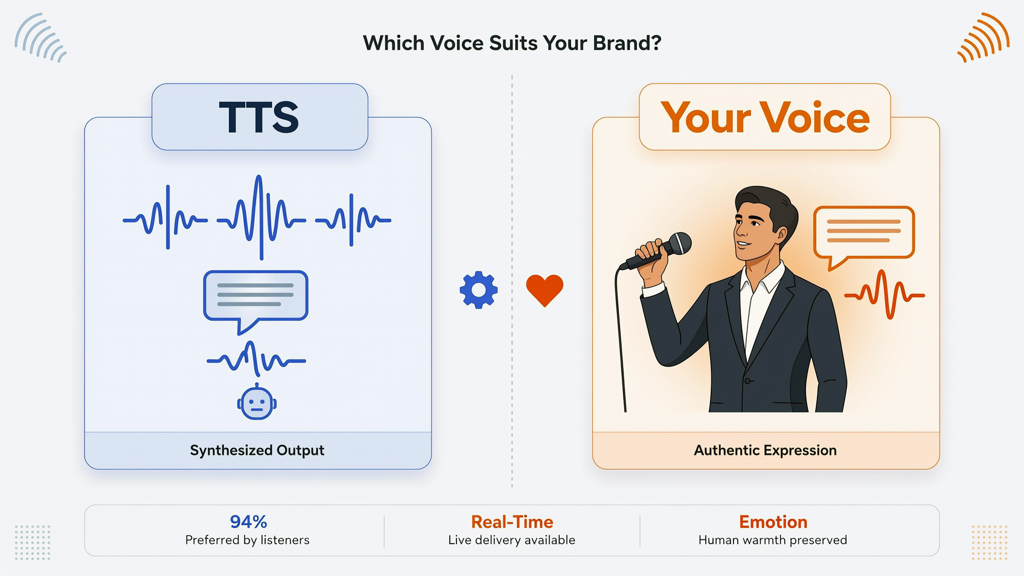
Modern text-to-speech engines deliver remarkably natural-sounding speech—clear diction, appropriate pacing, and multilingual support. When used thoughtfully, TTS is a powerful tool—not a compromise.
Key Advantages of TTS
- Speed and efficiency: Turn written script into polished audio in seconds. Ideal when iterating on slide decks or updating content frequently.
- Voice consistency: Every sentence, every slide, every revision sounds identical—no vocal fatigue, pitch drift, or inconsistent emphasis across takes.
- Accessibility-first workflow: Built-in screen reader compatibility, adjustable playback speed, and seamless integration with captioning tools.
- Scalability: Produce dozens of localized versions (e.g., English → Spanish → Japanese) without re-recording or hiring voice talent.
- No hardware or environment needed: Skip mic setup, soundproofing, pop filters, and noise-canceling software.
Real Tradeoffs—and What They Cost You
TTS excels at utility—but not at nuance. Its limitations are structural, not temporary:
- Character-based pricing: Many platforms charge per character or per minute of generated audio. While some offer free tiers, high-volume or enterprise use incurs recurring costs—especially for long-form or multilingual content.
- Limited emotional range: Even advanced TTS struggles with subtle shifts in irony, urgency, or warmth. A well-timed pause or empathetic inflection remains difficult to script reliably.
- Pronunciation edge cases: Acronyms, niche terminology, proper names, or industry jargon may mispronounce without manual phonetic overrides—adding editing time.
- Brand voice dilution: Generic voices lack personal signature. If your organization relies on trust built through human presence (e.g., leadership updates or customer-facing demos), TTS can feel transactional rather than relational.
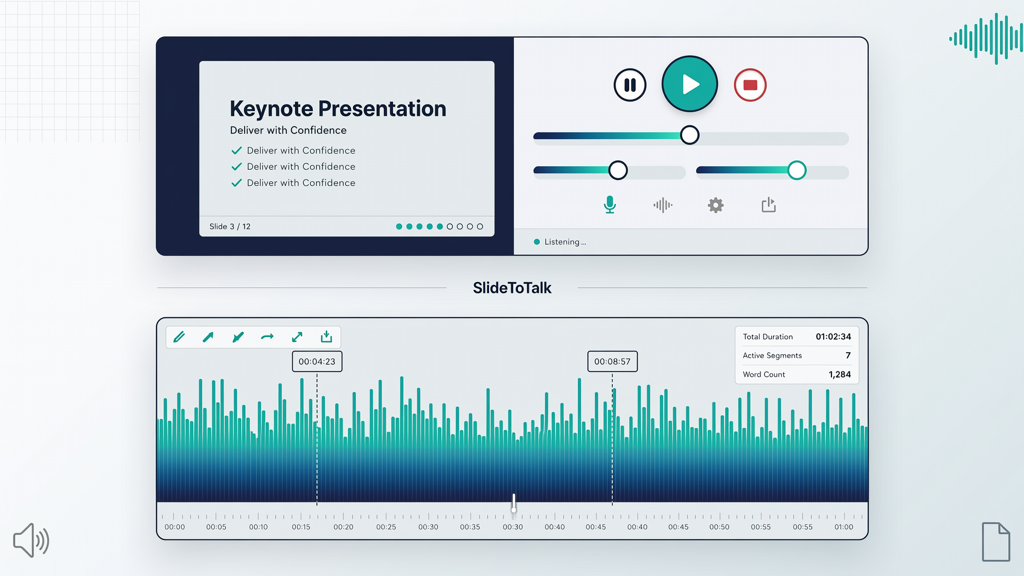
Tools like SlideToTalk streamline TTS integration directly within slide workflows—allowing you to generate, preview, and sync narration to PowerPoint or Google Slides in one interface. It’s especially valuable when speed and repeatability outweigh the need for vocal personality.
Recording Your Own Voice: Authenticity, Zero Cost, and Effort Multipliers
Using your own voice adds immediacy and authority. It signals investment, intention, and humanity—qualities algorithms cannot replicate. And unlike TTS, it’s completely free to produce once you have basic equipment.
Why Recorded Narration Builds Trust
- Authentic connection: Vocal cues—breath, slight hesitation, emphasis, even controlled pauses—signal sincerity and expertise. Viewers subconsciously associate these with credibility.
- Full expressive control: You decide where to speed up, slow down, stress keywords, or add rhetorical questions—all without scripting phonetic tags or adjusting SSML parameters.
- Zero per-use fees: Record once, reuse forever. No subscription, no character limits, no usage caps—even for enterprise-scale deployments.
- Brand reinforcement: Your voice becomes part of your organization’s auditory identity—just as visual branding appears across touchpoints.
The Real Effort Behind “Free” Audio
“Free” doesn’t mean frictionless. Self-recording demands time, technique, and iteration:
- Setup overhead: Requires a quiet space, decent microphone (USB or XLR), headphones, and basic audio software (e.g., Audacity, Adobe Audition, or even built-in Voice Memos with editing).
- Performance learning curve: Reading aloud naturally—without rushing, monotoning, or over-enunciating—takes practice. First-take recordings rarely meet professional standards.
- Editing time: Removing filler words (“um,” “like”), mouth clicks, background HVAC hum, or uneven volume can take 3–5x longer than recording itself.
- Inconsistency across sessions: Fatigue, hydration, room temperature, or even time of day affect vocal quality—making multi-session projects harder to unify.
- Revision penalty: Changing one sentence often means re-recording the entire paragraph—or painstakingly splicing clips—risking tonal mismatch.
How to Choose: A Decision Framework for Real Projects

Instead of asking “Which is better?” ask: “What does this specific project need most right now?” Use this practical framework to decide:
Choose TTS When…
- You’re producing high-volume, templated content (e.g., weekly sales dashboards, compliance refreshers, or onboarding modules).
- Your audience prioritizes clarity and consistency over charisma—think technical documentation, data-heavy reports, or multilingual knowledge bases.
- You lack access to quiet recording space or reliable hardware.
- You need rapid prototyping or A/B testing of messaging—e.g., comparing two script variants across user groups.
- You’re using tools like SlideToTalk that embed TTS directly into slide authoring—reducing export/import steps and syncing effort.
Choose Your Own Voice When…
- This is a high-stakes, relationship-critical video—such as an executive announcement, investor pitch, or customer success story.
- Your script relies on tone-driven language: storytelling, persuasion, empathy, or humor.
- You already have a tested recording setup and 30+ minutes to dedicate to clean recording and light editing.
- You’ll repurpose the same audio across platforms (e.g., podcast clip + slide video + social snippet)—maximizing ROI on effort.
- Your team includes subject-matter experts whose vocal authority reinforces message legitimacy.
Hybrid Approaches Worth Considering
Many professionals combine both methods intentionally:
- TTS for captions + your voice for main narration: Ensures accessibility while retaining human presence.
- Your voice for intros/outros + TTS for middle sections: Leverages authenticity where it matters most (first/last impressions) and efficiency where detail density is highest.
- Record a base version, then use TTS for updated slides only: Maintain vocal continuity while accelerating maintenance—ideal for long-running training libraries.
Practical Tips to Maximize Either Option
Whichever path you choose, these evidence-backed practices improve results immediately:
If Using TTS:
- Write for the ear, not the eye: Replace passive constructions (“The report was compiled by the team”) with active ones (“Our team compiled the report”). Shorter sentences, contractions (“you’re” vs. “you are”), and conversational transitions (“Now, let’s look at…” instead of “Subsequently…”).
- Preview and adjust pacing: Most TTS tools allow speed sliders. Aim for 140–160 words per minute—fast enough to hold attention, slow enough for comprehension.
- Add strategic pauses: Insert silent breaks (e.g., [PAUSE:0.8s]) before key points or transitions—this mimics natural speech rhythm and improves retention.
- Test pronunciation manually: For critical terms, use phonetic spelling or SSML tags if supported (e.g., “SQL” → “sequel”).
- Sync precisely: In tools like SlideToTalk, align audio waveforms visually with slide triggers—avoiding awkward cut-offs mid-sentence.
If Recording Yourself:
- Script lightly—not rigidly: Write bullet points or teleprompter-friendly phrases. Avoid full paragraphs; they encourage robotic reading.
- Warm up your voice: Hum, lip trills, or gentle tongue twisters for 60 seconds before recording. Hydrate with room-temperature water (not ice).
- Record in short segments: 20–45 second chunks reduce fatigue and make editing cleaner. Label files clearly (e.g., “Slide03_Intro_v2”).
- Use the “3-Take Rule”: Record each segment three times. Often, Take 2 balances energy and accuracy best.
- Edit for flow—not perfection: Remove long pauses and stutters, but keep natural breaths and occasional vocal texture—it builds realism.
- Normalize volume: Apply light compression and normalization in post to ensure consistent loudness across all clips.
Final Summary: Clarity Over Convenience
Choosing between tts vs recorded narration isn’t about picking the “cooler” or “newer” tech—it’s about matching your narration method to your communication goal. Text to speech or record your own voice? There’s no universal answer. But there is a clear principle: prioritize what your audience needs to understand, believe, and act upon—not what’s easiest to produce.
If your priority is speed, scalability, and uniformity, TTS delivers measurable advantages—especially when integrated natively into slide tools like SlideToTalk. If your priority is trust, emotional resonance, and brand distinction, your own voice remains unmatched.
And remember: choosing narration method for slides is not a one-time decision. Revisit it per project. Audit past videos—what held attention? What felt distant? Let those insights—not trends or tools—guide your next choice. With intentionality, either path leads to effective, professional presentation videos.
Try SlideToTalk free
Upload your PPT, PDF, or images. Add narration with text-to-speech or your own voice, and export a narrated video in one click.
Start for free →