How Customer Success Teams Use Narrated Slide Videos for Onboarding Guides
Why Static Slide Videos Are a Strategic Choice for Customer Success
Customer success teams face a recurring challenge: delivering consistent, scalable, and accessible onboarding experiences without overburdening internal resources. Many organizations already maintain robust internal documentation—how-to decks, process flows, feature summaries, and compliance checklists—built in PowerPoint, Google Slides, or similar tools. These assets are authoritative, reviewed, and aligned with product messaging. Yet when shared as static PDFs or unannotated slide decks, they often fail to engage, clarify sequence, or accommodate diverse learning preferences.
This is where the customer onboarding video from slides becomes a high-leverage solution—not by replacing live demos or interactive tools, but by transforming existing slide content into clear, narrated, and universally accessible learning assets. Unlike screen-recorded walkthroughs (which require live software interaction, frequent updates, and technical setup), narrated slide videos rely on static visual assets. That means no fragile recording sessions, no version drift between UI and demo, and no dependency on real-time application states.
For B2B customer success managers, this approach delivers three core advantages:
- Consistency: Every customer receives the same messaging, pacing, and emphasis—no variance across team members or time zones.
- Scalability: Once created, a narrated slide video can be reused across dozens—or thousands—of customers with zero incremental effort.
- Accessibility: With built-in subtitles, adjustable playback speed, and transcript support, these videos meet WCAG-aligned standards for hearing, cognitive, and language accessibility.
Crucially, this method does not require specialized video production skills or expensive editing software. It’s about repurposing what already exists—thoughtfully and intentionally.
From Internal Deck to Customer-Ready Narrated Guide
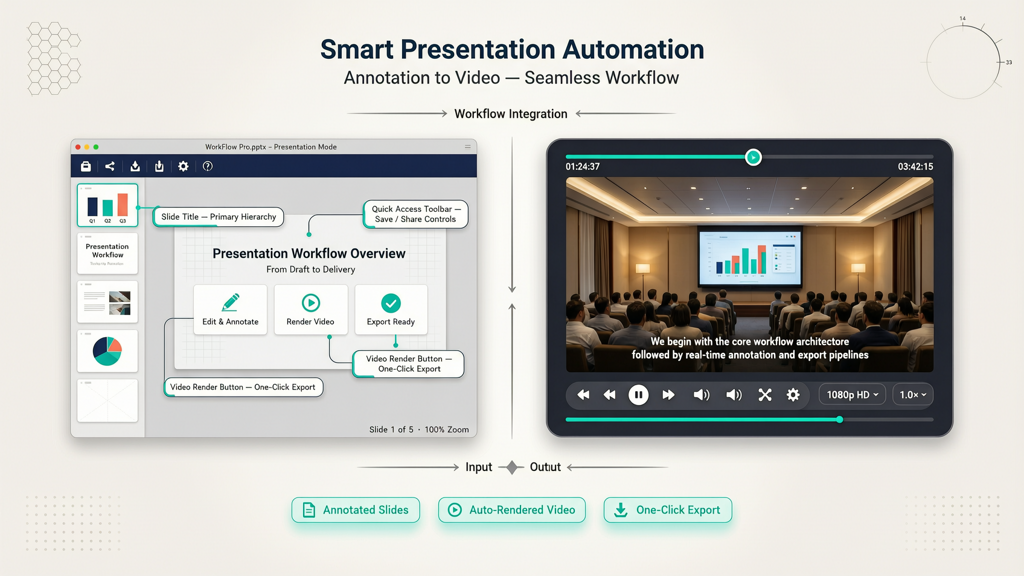
The workflow is purposefully lean: internal slide deck → voice narration → rendered video → distribution. No screen capture. No live software interaction. No complex branching logic. Just clarity, structure, and fidelity to your source material.
Here’s how customer success teams execute it effectively:
1. Audit & Optimize the Source Slides
Before narration begins, review each slide for customer-facing readiness:
- Remove internal jargon: Replace terms like “CRM sync module v3.2” with “auto-sync contacts to your CRM.”
- Clarify sequencing: Ensure slides follow a logical user journey—not an engineering or release order.
- Simplify visuals: Reduce text density; use annotated arrows, callouts, or minimal icons instead of paragraphs.
- Flag dependencies: Note prerequisites (e.g., “Before watching this guide, ensure your SSO is configured”) on the first slide.
2. Script & Record Narration Thoughtfully
Narration is not reading slides aloud—it’s guiding a person through understanding. Best practices include:
- Write a concise script (not just speaker notes) that anticipates questions: “You might wonder why this step appears before authentication—here’s why…”
- Use a warm, steady vocal tone, avoiding rushed delivery or robotic cadence—even if using AI voice generation.
- Pause deliberately after key concepts (e.g., “That’s the first step. Now let’s move to configuration.”) to aid retention.
- Keep segments under 90 seconds per slide or concept—longer segments reduce completion rates.
3. Render with Subtitles and Visual Fidelity
Subtitles aren’t an afterthought—they’re foundational. They serve customers who watch muted, those in noisy environments, non-native speakers, and individuals with hearing differences. A true customer success narrated guide embeds accurate, synchronized captions directly into the video file—not as optional toggles or external files.
Rendering must preserve design integrity: fonts remain legible, brand colors stay true, and animations (if used sparingly) render smoothly. Because no screen recording occurs, output quality depends entirely on the original slide resolution and rendering engine—not on screen DPI, cursor movement, or background app interference.
Real-World Applications Across the Onboarding Journey

Customer success teams apply narrated slide videos at precise inflection points—where clarity prevents confusion, reduces support load, and accelerates time-to-value. Here are proven use cases:
- Pre-Kickoff Primer: Sent 48 hours before the first success call, this product walkthrough video for customers outlines agenda, roles, and expected outcomes—reducing no-shows and setting shared expectations.
- Role-Based Configuration Guides: Separate videos for admins (“Setting Up User Permissions”), end users (“Submitting Your First Report”), and integrators (“Connecting Your ERP”). Each uses the same underlying slide framework but distinct narration paths.
- Compliance & Security Walkthroughs: Explaining data residency options, audit log access, or SOC 2 controls—complex topics made digestible via layered visuals and paced explanation.
- Renewal Preparation Kits: A 5-slide video recapping usage metrics, ROI highlights, and upcoming feature alignment—shared with stakeholders ahead of renewal discussions.
Importantly, these videos coexist with—but do not replace—human-led touchpoints. They free up CSMs to focus on strategic dialogue rather than repetitive setup instructions. One enterprise SaaS team reported a 37% reduction in Tier-1 configuration questions after deploying narrated slide guides for their top five onboarding workflows.
Practical Tips for High-Impact Output
Success isn’t just about making videos—it’s about making the right videos, the right way. Consider these field-tested recommendations:
- Standardize naming and metadata: Use a consistent prefix (e.g., “CS_ONB_ADM_01_Permissions_v2”) so videos are searchable in your knowledge base and LMS.
- Add a 3-second intro frame with logo, title, and estimated duration (“This guide takes 2 minutes”). Sets expectations immediately.
- Include one actionable CTA per video: “Next, go to Settings > Integrations and click ‘Add New.’” Avoid vague prompts like “Get started today.”
- Test for silent viewing: Watch the video with sound off. Can the message still be understood from slides + subtitles alone? If not, revise visuals or add annotations.
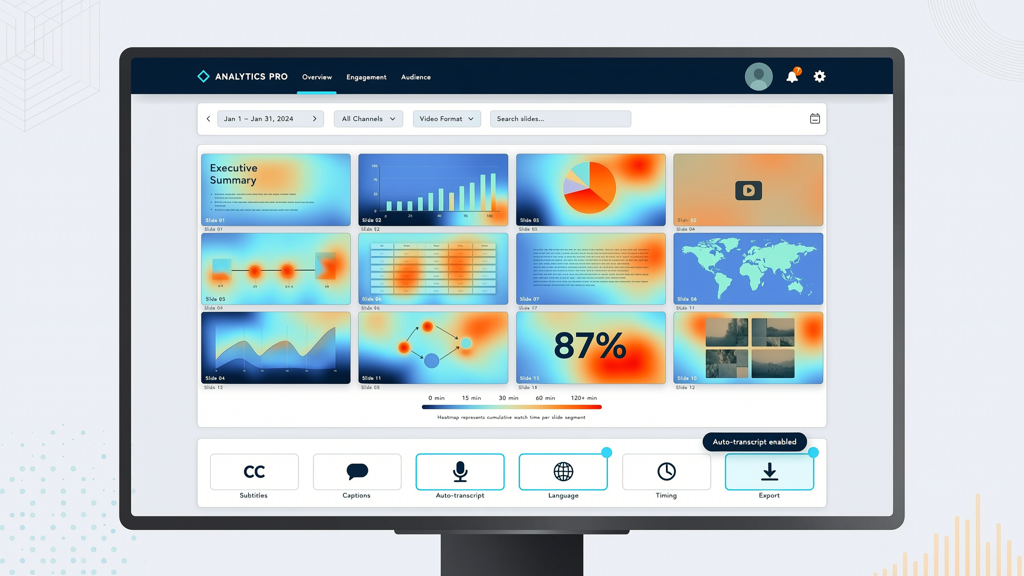
- Track engagement—not just views: Monitor average watch time, subtitle toggle rate, and drop-off points. Low completion at slide 4? That slide likely needs simplification or reordering.
Teams also benefit from maintaining a lightweight version-control log: “v2 — updated slide 3 to reflect new permission hierarchy; added subtitle correction at 0:42.” This ensures accuracy as products evolve—without requiring full re-recording.
Bringing It All Together with SlideToTalk
Creating polished, accessible, narrated slide videos shouldn’t demand video-editing expertise or weeks of production time. Tools designed specifically for this workflow streamline every step—from importing slides and adding voiceovers to generating synchronized subtitles and exporting MP4s ready for email, LMS, or in-app embedding.
SlideToTalk is built for precisely this B2B customer success use case. It accepts PowerPoint (.pptx) and Google Slides (via export) natively, supports human or AI narration (with multiple natural-sounding voices), and auto-generates accurate, editable subtitles synced to speech timing. Crucially, it renders static slide videos—no screen capture, no live software dependencies—ensuring reliability across product versions and deployment environments.
With SlideToTalk, teams turn a 20-slide internal training deck into a professional customer onboarding video from slides in under 20 minutes. The output is a single MP4 file with embedded subtitles, consistent branding, and responsive sizing—ready to embed in Zendesk, share via Slack, or attach to a welcome email. No plugins. No monthly seat fees per viewer. No maintenance overhead.
Because the tool respects the constraints of the use case—static slides only—it avoids feature bloat and keeps teams focused on what matters: helping customers succeed faster, with less friction and greater inclusivity.
In Summary: Clarity, Consistency, and Confidence
Effective customer onboarding isn’t about volume—it’s about precision. When customer success teams adopt customer onboarding video from slides, they anchor learning in trusted, pre-vetted materials while adding the human elements of pacing, explanation, and accessibility. The resulting customer success narrated guide meets customers where they are: reviewing at their own pace, pausing to take notes, enabling subtitles, or sharing with colleagues across departments.
A product walkthrough video for customers built this way doesn’t compete with live demos—it prepares customers for them. It doesn’t replace documentation—it brings documentation to life. And because it relies on static slides—not volatile screen states—it remains accurate longer, scales effortlessly, and integrates seamlessly into existing workflows.
For teams seeking to reduce ramp time, lower support volume, and strengthen early adoption—all without introducing new technical dependencies—the narrated slide video is not a trend. It’s a durable, evergreen practice grounded in clarity, empathy, and operational discipline.
Try SlideToTalk free
Upload your PPT, PDF, or images. Add narration with text-to-speech or your own voice, and export a narrated video in one click.
Start for free →