Creating Narrated Internal Company Update Videos from Slides
Why Turn Slide Decks into Narrated Internal Company Update Videos?

Internal communications teams face a persistent challenge: ensuring every employee receives the same clarity, context, and connection—regardless of location, schedule, or language. Live all-hands meetings are powerful, but attendance isn’t universal. Employees working across time zones may miss critical announcements. Remote workers might tune in only to find audio lag or visual disconnect. And when slides fly by without explanation, key messages get lost—not because they’re unimportant, but because they’re under-narrated.
A narrated internal company update video solves this by transforming static slide decks into accessible, human-centered assets. It’s not about replacing live interaction—it’s about extending it. When leadership’s vision, financial results, product milestones, or cultural initiatives are delivered with voice, pacing, and intentional emphasis, comprehension deepens and retention improves. This is especially vital for globally distributed teams where asynchronous access isn’t a convenience—it’s equity.
Core Use Cases for Employee Update Video From Slides
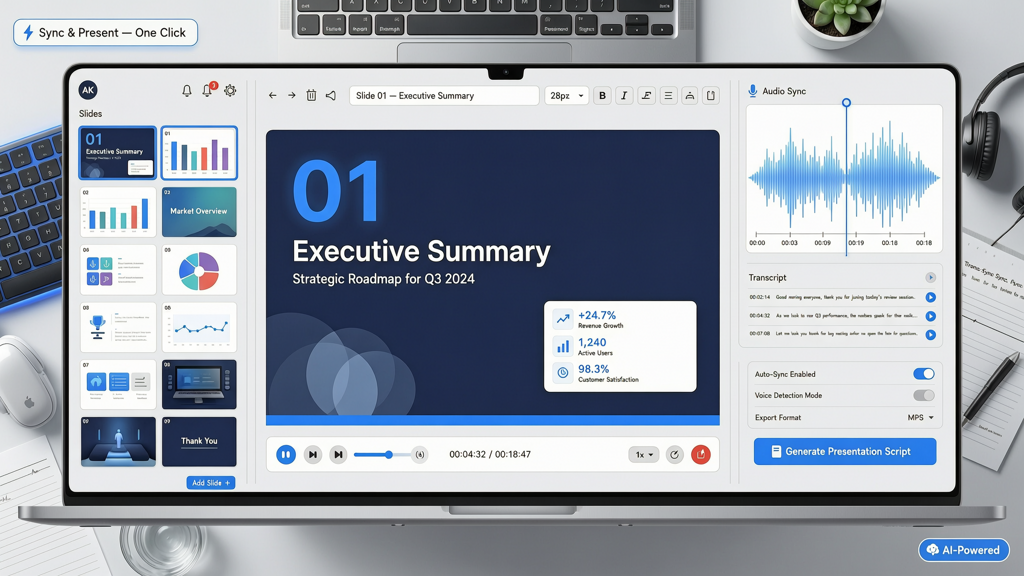
The value of an employee update video from slides goes beyond convenience. It supports strategic internal comms goals with measurable impact:
- Time-zone inclusivity: Record once, distribute globally—no need to schedule multiple live sessions or rely on fragmented notes.
- Onboarding continuity: New hires can watch foundational all-hands presentations at their own pace, aligning faster with company rhythm and priorities.
- Multilingual accessibility: Narrated videos provide a natural foundation for translation—whether through subtitles, dubbed audio tracks, or AI-assisted voice cloning in regional languages.
- Consistency of message: Eliminates version drift between what was said live and what gets shared via email summaries or chat snippets.
- Leadership presence at scale: A CEO’s tone, emphasis, and authenticity travel farther—and more faithfully—when captured in voice than in bullet points alone.
Importantly, this workflow doesn’t require filming, editing suites, or voice talent. Modern tools let communicators produce polished narrated all-hands presentations directly from existing PowerPoint or Google Slides files—preserving design integrity while adding vocal dimension.
How to Build a High-Impact Internal Company Update Video
Creating an effective internal company update video is less about technical complexity and more about intentionality. Follow these practical steps to ensure clarity, engagement, and professionalism:
1. Start With a Purpose-Driven Script (Even If You’re Speaking Off-the-Cuff)
Don’t record “just to narrate.” Ask: What should every viewer understand, feel, and do after watching? Then draft concise speaker notes—ideally one paragraph per slide—that answer those questions. Avoid reading slides verbatim. Instead, use them as visual anchors while your voice adds context, rationale, and humanity.
- For financial slides: Explain why a metric shifted—not just that it did.
- For roadmap slides: Clarify dependencies, trade-offs, and team contributions—not just dates.
- For culture or values slides: Share a brief, real example—not abstract principles alone.
2. Optimize Visuals for Silent First Impressions
Remember: many employees will preview or skim your video before listening. Ensure slides stand alone visually:
- Use high-contrast typography and minimal text (no paragraphs—aim for ≤6 words per bullet).
- Replace clip art with authentic photos or branded illustrations.
- Embed short motion (e.g., subtle transitions or data animations) to guide attention—not distract.
- Include consistent branding: logo placement, color palette, and font hierarchy aligned with corporate guidelines.
3. Record or Generate Narration Thoughtfully
You have two strong options—and both are valid:
- Human narration: Record voiceover using a quiet space and USB microphone. Speak conversationally—not like a newscaster. Pause after key points. Edit out long silences or stumbles using free tools like Audacity or Descript.
- AI narration: Use a professional-grade text-to-speech engine designed for business contexts. Prioritize voices with natural cadence, appropriate pauses, and emotional range—not robotic monotone. Tools like SlideToTalk support direct import of slide decks and generate synchronized narration with precise slide timing, making it ideal for recurring all-hands updates.
Whichever method you choose, always listen back with headphones—and ask a colleague to review for tone and clarity.
4. Add Multilingual Support Without Starting Over
Global teams benefit most when language isn’t a barrier. Rather than rebuilding each video per region, adopt a modular approach:
- Export your original narration as a script (text file), then translate it professionally—not via auto-translate alone.
- Use the translated script to generate new voiceovers (human or AI) synced to the same slide timings.
- Embed closed captions in multiple languages directly into the video player—or host subtitled versions separately with clear language labels.
- For voice cloning solutions, confirm compliance with local privacy regulations and employee consent policies before deployment.
This strategy preserves production efficiency while honoring linguistic diversity as a core part of inclusion—not an afterthought.
Best Practices for Distribution and Engagement
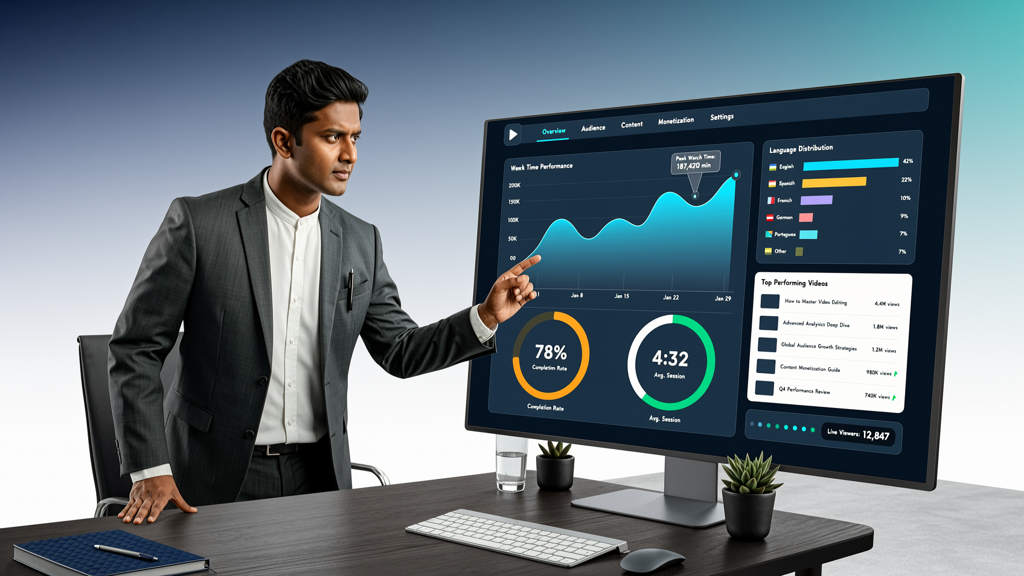
A narrated all-hands presentation only delivers value if employees actually watch it. Avoid common pitfalls:
- Don’t bury it in email threads. Link directly from your intranet homepage or dedicated comms hub—and highlight it with a short, compelling thumbnail and title.
- Offer flexible formats. Provide both full-length video and chaptered versions (e.g., “Q3 Results,” “Product Roadmap,” “Culture Spotlight”) so viewers can jump to relevance.
- Pair with lightweight interactivity. Embed a single reflective question at the end (“Which initiative resonates most with your team’s work this quarter?”) and link to a secure, anonymous feedback form.
- Track engagement—not just views. Look at average watch time, drop-off points, and completion rates. If people stop at slide 7, revisit that section’s clarity or pacing next time.
- Reinforce, don’t replace. Reference the video in follow-up emails, team meetings, and manager talking points—so it becomes part of ongoing dialogue, not a one-off artifact.
Also consider accessibility from day one: include transcripts, ensure color contrast meets WCAG 2.1 standards, and verify screen reader compatibility for any embedded web players.
Why SlideToTalk Fits Naturally Into Your Workflow
When your goal is to create a reliable, repeatable process for generating internal company update videos—especially across quarters or departments—you need a tool built for consistency, not complexity. SlideToTalk is purpose-built for exactly this use case: turning finished slide decks into narrated all-hands presentations with minimal friction.
Here’s how it supports internal comms professionals:
- Direct slide import: Upload PPTX or PDF files—no reformatting required. Animations and transitions are preserved.
- Script-first or AI-narration mode: Paste speaker notes to auto-sync voice, or generate professional narration instantly using enterprise-grade voices.
- Timing precision: Adjust narration duration per slide to match speaking pace—not just default durations—so complex topics get adequate airtime.
- Export flexibility: Download MP4, embeddable HTML5 players, or shareable links—ready for LMS, intranet, or email distribution.
- Brand-safe output: No third-party watermarks, no forced templates—your visuals and voice remain fully yours.
It does not attempt to summarize meetings, transcribe live conversations, or generate slides from scratch. Its sole focus is elevating what you’ve already created: the thoughtful, strategic slide deck—by giving it voice, reach, and resonance.
Final Summary: Clarity, Consistency, and Connection
Creating a narrated internal company update video is more than a production task—it’s an act of inclusion. It signals to employees: Your time matters. Your location doesn’t limit your access. Your understanding is worth investing in.
An employee update video from slides bridges gaps—between time zones, between roles, and between intent and interpretation. When paired with intentional scripting, clean visuals, thoughtful narration, and multilingual support, it transforms quarterly information into lasting alignment. And when powered by tools designed for this exact purpose—like SlideToTalk—the process stays focused, efficient, and scalable.
Start small: pick your next all-hands deck. Write three key narrative sentences. Record or generate narration. Share it with one team—and measure what changes. You’ll quickly see how a simple shift—from static to spoken—deepens trust, sharpens understanding, and strengthens the connective tissue of your organization.
Try SlideToTalk free
Upload your PPT, PDF, or images. Add narration with text-to-speech or your own voice, and export a narrated video in one click.
Start for free →