Make Multilingual Training Videos from One Slide Deck
Why a Single Source, Multiple Languages Wins for Global Training

When your team spans Tokyo, Paris, Berlin, Madrid, Shanghai, and New York, one-size-fits-all training doesn’t scale—it stalls. A monolingual video may convey facts, but it rarely conveys clarity, confidence, or cultural resonance. Learners absorb complex procedures faster when instruction arrives in their native language—not just translated text, but spoken narration timed precisely to visual cues on screen. This is where a multilingual training video becomes more than convenience: it’s a strategic lever for comprehension, retention, and equitable engagement.
Yet producing separate videos for each language traditionally meant duplicating effort: rewriting scripts, re-recording voiceovers, adjusting timing, syncing subtitles, and maintaining visual fidelity across versions. That fragmentation introduces inconsistencies—subtle but costly differences in tone, emphasis, or even technical accuracy. The smarter approach? Start once. Ship globally. And do it without sacrificing authenticity or scalability.
How It Works: From One Deck to Six Language Versions
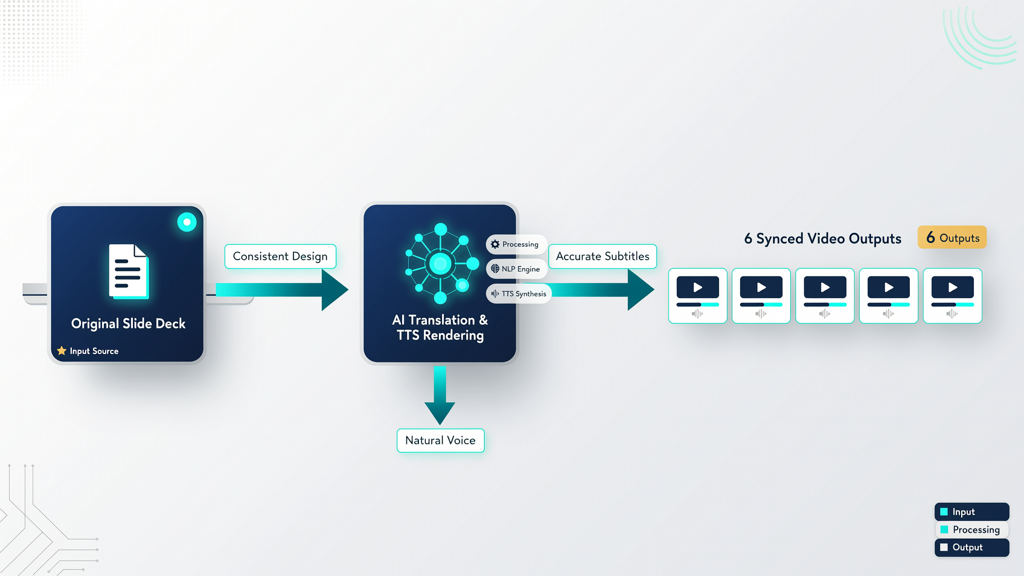
The core innovation lies in decoupling content creation from language delivery. With the right tool, you begin with a single, well-structured slide deck—your source of truth. Every bullet point, diagram, annotation, and transition remains unchanged. What changes is the audio layer and its supporting elements: narration, timing, and on-screen text—all generated per language while preserving the original visual logic.
Modern AI tools now support high-fidelity translate presentation to video workflows with native-grade pronunciation and prosody across six major business languages: English, Chinese (Mandarin), Japanese, Spanish, French, and German. Crucially, this isn’t machine-translated voice acting—it’s purpose-built text-to-speech (TTS) engineered for instructional clarity: consistent pacing, natural pauses at punctuation, appropriate stress on key terms, and zero robotic monotony.
Here’s what happens behind the scenes:
- Source alignment: Your original slide notes or speaker script is extracted and linguistically processed—preserving technical terms, brand names, and domain-specific phrasing.
- Context-aware translation: Translation isn’t word-for-word; it’s adapted for oral delivery (e.g., passive constructions become active, long clauses are broken into digestible phrases).
- TTS rendering: Each language version is narrated using dedicated, studio-calibrated voices—not generic system voices—so that Mandarin sounds authentically Beijing-informed, not phonetically approximated.
- Auto-synced timing: Narration length is matched to slide duration. If the French version runs 12% longer than English (due to linguistic expansion), the tool automatically adjusts slide hold time—no manual trimming needed.
This workflow transforms slides to video in multiple languages from a multi-week production cycle into a repeatable, auditable process—one that guarantees factual fidelity across all versions.
Maintaining Visual Consistency Across Languages
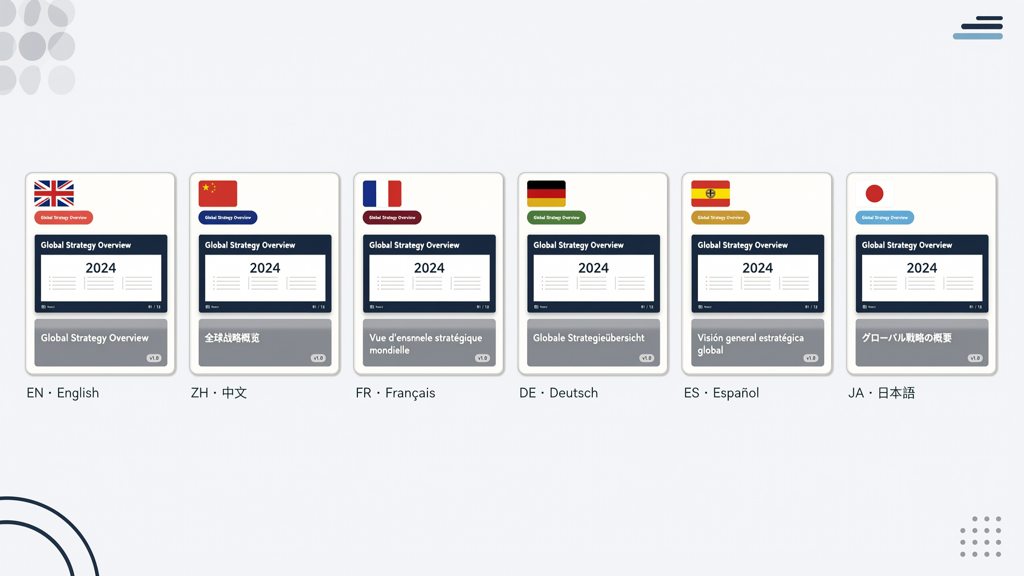
A common misconception is that multilingual output demands redesigning slides per language. In reality, the strongest localized training video keeps layout, branding, animation sequence, and information hierarchy identical. Why? Because consistency builds cognitive trust. When a learner in Barcelona sees the same flow, color coding, icon set, and data visualization as their colleague in Osaka, they infer shared standards—and shared expectations.
That said, thoughtful localization goes beyond voice. Consider these practical design principles:
- Text-free visuals first: Use icons, flowcharts, annotated screenshots, and minimal labels. Avoid idioms, metaphors, or culture-specific imagery (e.g., “home run” or “red tape”).
- Dynamic subtitle placement: Subtitles should appear only where they don’t obscure critical visuals—never over diagrams, buttons, or highlighted UI elements. Auto-positioning algorithms detect visual density and adjust accordingly.
- Font & spacing resilience: Choose system-safe fonts with broad Unicode support (e.g., Noto Sans). Allow flexible line height and character spacing—especially for languages like Japanese or Chinese, where characters occupy more vertical space than Latin script.
- Right-to-left (RTL) readiness: For Arabic or Hebrew (though not in the current 6-language set), ensure your authoring environment supports RTL layout toggles—but note: for the supported languages (English, Chinese, Japanese, Spanish, French, German), left-to-right flow remains consistent, simplifying alignment.
Importantly, no slide duplication is required. You edit once—in your original PowerPoint or Google Slides file—and all language outputs inherit those updates. This eliminates version drift: if you correct a spec on Slide 7, all six language videos reflect it in the next export.
Subtitles, Timing, and the Role of Human Oversight
Subtitles aren’t an afterthought—they’re a core accessibility and comprehension layer. In a multilingual training video, subtitles must be:
- Language-matched: Not auto-generated captions repurposed across languages—but synchronized, proofread subtitles crafted per language version.
- Readability-optimized: Limited to two lines max, ~42 characters per line, with 2–3 second minimum display time. Longer sentences are intelligently segmented—not chopped mid-clause.
- Technically embedded: Burned-in (for LMS compatibility) or delivered as timed SRT/VTT files (for modern platforms supporting dynamic caption toggling).
While AI handles 90% of the heavy lifting—translation, TTS, sync, and subtitle generation—human review remains essential for nuance. We recommend this lightweight QA checklist before publishing:
- Verify proper pronunciation of product names, acronyms, and internal jargon (e.g., does “API” sound like /ay-pee-eye/ in French or /ah-pee/ in Japanese?)
- Confirm technical terms retain precise meaning (e.g., “latency” ≠ “delay” in networking contexts).
- Check subtitle timing against speech peaks—no lag, no premature disappearance.
- Ensure culturally appropriate intonation: questions should rise, instructions should land with authority, warnings should carry appropriate weight.
This hybrid approach—AI speed + human calibration—ensures your translate presentation to video workflow delivers both efficiency and authority.
Natural SlideToTalk: Purpose-Built for This Exact Workflow
Not all slide-to-video tools handle multilingual output with equal rigor. Many treat translation as an add-on feature—tacked onto a single-language engine with limited language coverage, inconsistent voice quality, or rigid formatting constraints. SlideToTalk was built from the ground up for global training teams who need precision, not approximation.
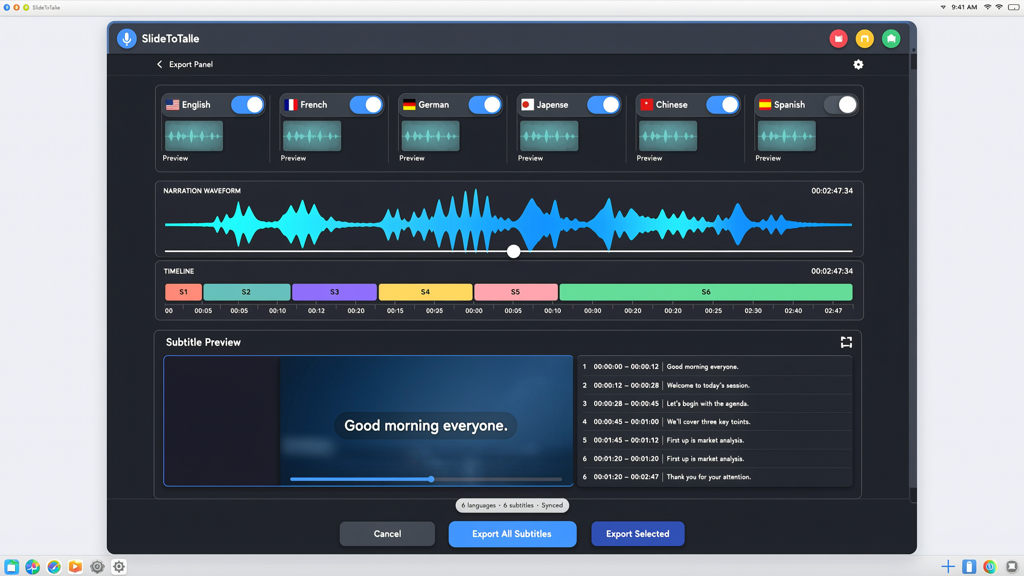
Its 6-language TTS capability isn’t a checkbox—it’s the central architecture. Each voice is trained on thousands of hours of domain-relevant speech (not generic audiobooks), fine-tuned for instructional cadence and enterprise terminology. The interface guides you through language selection, script adaptation options, and subtitle preferences—all within a single export panel. No plugins. No third-party APIs. No exporting to external translation services.
With SlideToTalk, you get:
- One-click language switching: Select any combination of the six supported languages—or all six at once—for parallel exports.
- Design-preserving rendering: Animations, transitions, and master slide layouts remain pixel-perfect across every language version.
- Built-in subtitle editor: Adjust timing, rewrite lines for clarity, or toggle burn-in vs. sidecar files—without leaving the platform.
- No avatar dubbing: SlideToTalk delivers authentic, static-slide narration—because real-world training relies on clear visuals and confident voiceover, not synthetic presenters that distract from content.
This focus makes SlideToTalk uniquely suited for compliance training, software onboarding, safety protocols, and product enablement—where factual accuracy, visual fidelity, and linguistic precision are non-negotiable.
In Summary: Efficiency, Fidelity, and Global Reach
Creating a multilingual training video no longer means choosing between speed and quality—or between consistency and localization. With today’s mature AI capabilities, you can produce a localized training video that reflects deep respect for each audience’s language and learning context—while drawing from a single, authoritative source.
The path is straightforward: design once, translate intelligently, narrate naturally in six languages, synchronize subtitles thoughtfully, and distribute confidently. You avoid fragmented authoring, reduce revision cycles, eliminate factual drift, and empower every learner—regardless of location—to engage with material on equal footing.
Whether you’re scaling customer success across EMEA, launching a new SaaS feature in APAC, or aligning field engineers worldwide, the ability to translate presentation to video reliably—and to generate slides to video in multiple languages without compromise—is no longer a luxury. It’s the baseline expectation for professional, inclusive, and effective training.
Try SlideToTalk free
Upload your PPT, PDF, or images. Add narration with text-to-speech or your own voice, and export a narrated video in one click.
Start for free →